The loop is fine. The chord progression is fine. Yet once the arrangement passes eight bars, the scenery stops changing.
Adding a new sound makes the mix busier. Drawing automation for every parameter consumes the session without moving the song forward. Many stalled productions do not suffer from a lack of samples or instruments. The real issue is that the existing material has not been given a new role over time.
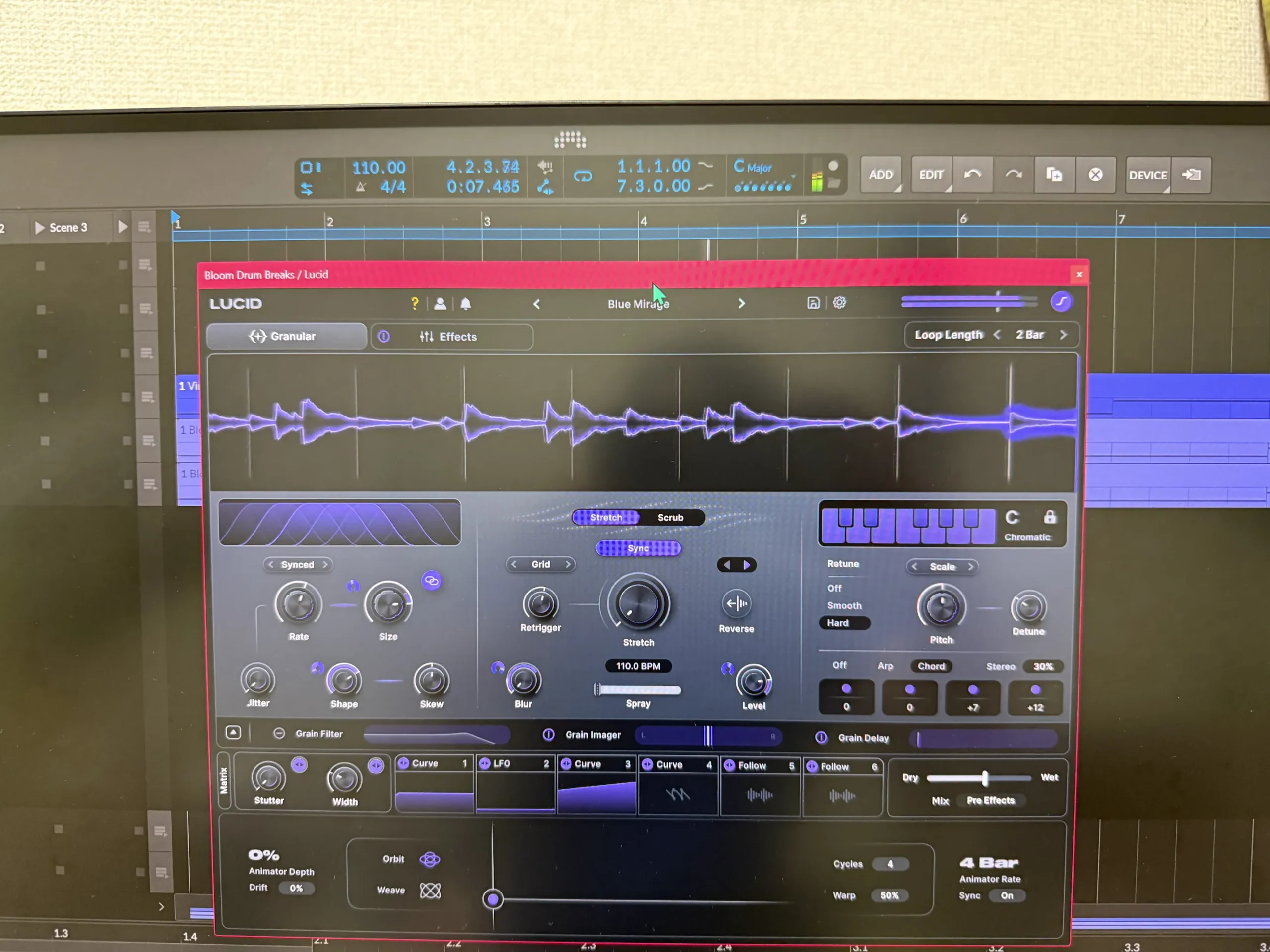
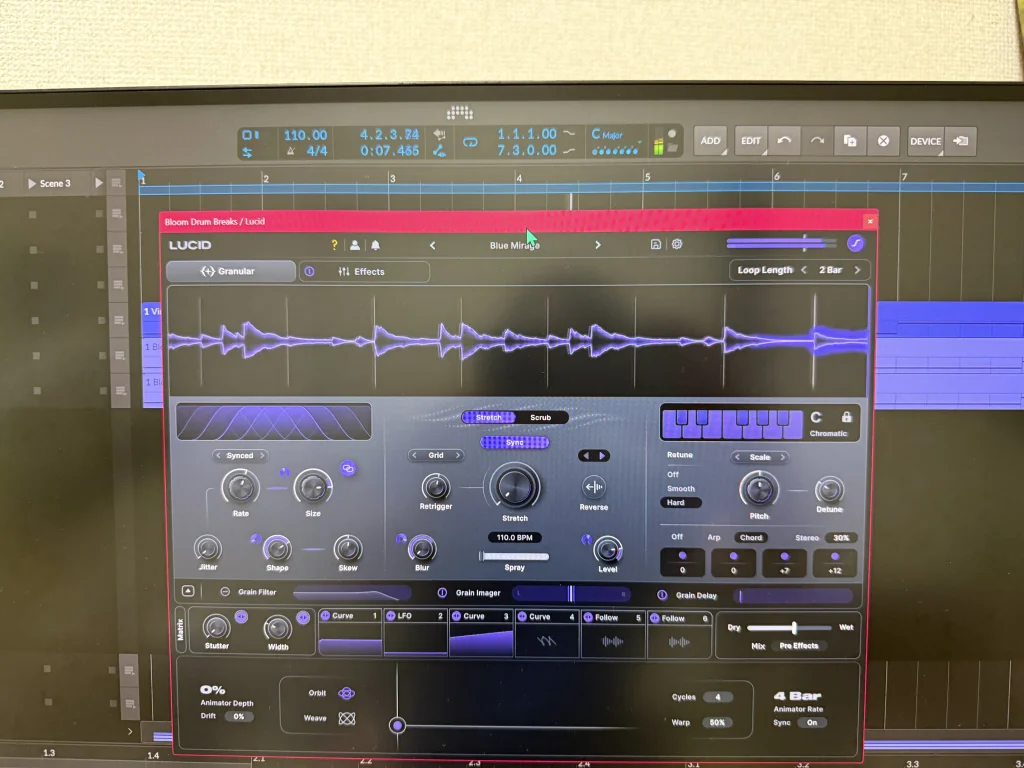
Minimal Audio Lucid is a granular FX processor that splits incoming audio into small grains, then reorganizes those grains into textures, harmony, rhythmic effects, and spatial movement.
Grain-level scale locking and timeline synchronization make it easier to move pitch and playback position aggressively without drifting away from the song’s key or tempo. Granular processing is not only an experimental way to make sounds unpredictable. Lucid can give an existing pad, vocal, guitar, or drum loop a clear job: an intro, build-up, break, transition before the chorus, or a new layer of motion inside an arrangement that already exists.
How Minimal Audio Lucid Changes the Production Flow
Continuing to add tracks in order to develop a song creates more sound-selection decisions, more frequency conflicts, and more level balancing. Lucid takes material that is already working, breaks it into small fragments, and moves time, pitch, space, and stereo position. A familiar sound can take on a new role without increasing track count.
Lucid is not an effect for adding change merely for the sake of change. It is an effect for giving change a musical reason while keeping grains aligned with the key and tempo of the project.
| Production bottleneck | Common cause | A useful Lucid move |
|---|---|---|
| A loop sounds like a loop | Volume or filter moves are the only source of variation | Move grain playback position and grain length to reshape the rhythmic outline |
| A pad only sits in the background | Sustained sound has no direction toward the next section | Use Freeze and timeline sync to create held motion or beat-aware instability |
| A vocal chop falls outside the key | Pitch freedom and musicality are difficult to balance | Set Grain Scale-Lock to the song key and scale before creating harmony |
| Stereo widening removes focus | A stereo process affects the whole source in the same way | Adjust stereo motion at the grain level with Dynamic Grain Imager |
| Automation never ends | Many parameters are drawn one at a time | Use the Animator Pad and macros to control several movements together |
Promotion information shown in the original Japanese article: 38% off from August 19 to September 30, 2026. The displayed price was reduced from ¥22,609 to ¥13,834. Exchange rates can change the final amount.
Create original sounds with Minimal Audio Lucid
A Musical Approach to Granular Processing
Granular processing divides an incoming sound into short, grain-like fragments. Changing grain length, playback position, order, pitch, and density can transform the original material into a pad, rhythm, noise layer, or chord-like texture.
The creative range is enormous, but the risk is obvious. A beautiful accident can easily become a pitch that clashes with the progression or a rhythm that floats outside the beat.
Lucid is built around two functions that keep experimentation connected to the song:
- Grain Scale-Lock: aligns the pitch of each grain to a selected key and scale.
- Granular Timeline Sync: synchronizes stretching, freezing, snapping, and scrubbing to the DAW timeline.
The design separates two tasks that usually fight each other: moving sound freely and preserving the musical foundation. Set the key before pushing pitch apart. Synchronize time before moving playback position. Following that order makes happy accidents much less likely to disrupt the arrangement.
Minimal Audio Lucid Review
Strengths
- A granular FX processor with a broad, almost workstation-like feature set.
- Detailed pitch control and musical harmony options sit beside the granular engine.
- A deep modulation section supports animated, evolving sound design.
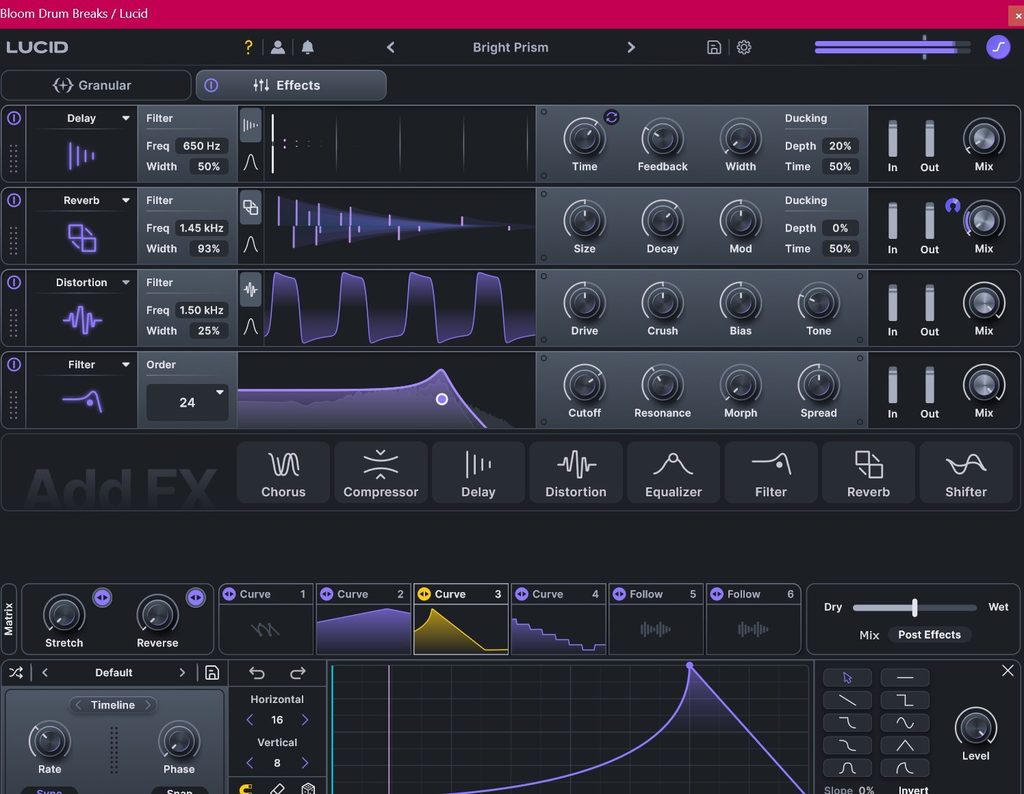
- The effect rack turns a grain texture into a much more complete production sound.
Limitation
- Lucid offers enough depth to feel overwhelming during the first few sessions.
Lucid feels less like a single granular plug-in and more like a granular studio. Granular controls sit beside pitch tools, compression, delay, filters, distortion, harmony, and six modulation slots. The range is the main attraction, but it also means that the first encounter can be confusing.
The preset library provides a sensible starting route. Pick a preset, listen to the role it creates, then uncover one control at a time. Lucid rewards gradual exploration much more than attempting to understand every section before making a sound.
A Granular FX Workstation Rather Than a One-Trick Effect
Many granular processors provide pitch movement and fragmentation. Lucid goes further by combining those functions with a full effect rack, musical pitch modes, and a large modulation system. The signal can move from broken fragments to something closer to a synth patch, a harmonizer, or a rhythmic transition generator.
The interface uses familiar synth-style parameter language rather than forcing the user to learn an entirely separate granular vocabulary. Producers who already work with synthesizers should find the path into granular processing less intimidating.
The post-granular effect rack is a major part of the appeal. A Lucid preset can become larger, rougher, wider, or more rhythmic without adding several unrelated plug-ins after it. Granular processing alone can change the mood drastically. Adding filter and distortion stages after the grains can turn that change into a much more forceful and distinctive production statement.
Grain Filter, Grain Imager, and Grain Delay are available above the modulation section. Opening their detailed panels reveals additional ways to shape the tone, stereo image, and repetition of each granular event.
Pitch, Harmony, Chord, and Arpeggiator Modes
Lucid can pitch-shift granular audio and create harmony that follows the selected scale. Conventional granular effects may offer pitch shifting, but Lucid also provides deliberately mechanical, Auto-Tune-like pitch movement, polyphonic arpeggiation, and chord modes.
The wide pitch range is a large part of Lucid’s character. A simple vocal fragment can become a chord texture, an arpeggiated cloud, or a deliberately synthetic melodic layer. Fast scale selection helps keep experimentation connected to the harmonic center of the project.
Six Modulation Slots
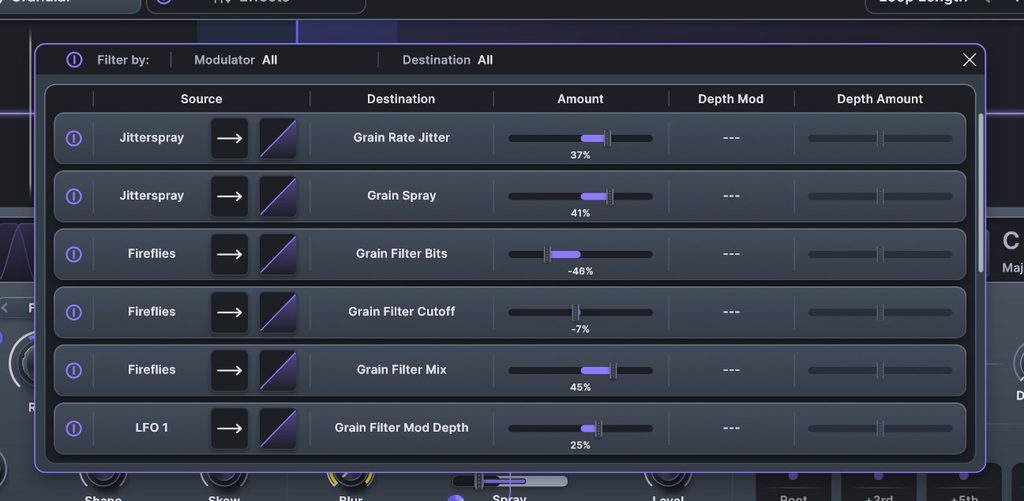
The modulation section is unusually generous. Up to six slots can be assigned from three modulation sources:
- LFO
- Curve
- Follow
After choosing a modulator, drag it onto the parameter that needs motion. Assigned parameters display a yellow indicator. The system can animate granular controls, effects, pitch, stereo movement, and other target parameters from the same performance environment.
The Main Drawback: Too Many Good Options
Lucid can do so much that the first session may become a tour of interesting sounds without a finished musical result. Presets are the best entry point. Put Lucid on drums, vocals, guitar, or any source that feels too familiar, choose a preset, then identify a single parameter that changes the result in a useful direction.
The following audio examples from the original article show a dry drum source followed by four Lucid presets:
- Drum: effect off
- Drum + Lucid preset: Aftergrow
- Drum + Lucid preset: Fragment Generator
- Drum + Lucid preset: Amber Combs
- Drum + Lucid preset: Filterwalk
Lucid’s Core Features and Their Roles
Lucid includes 350 presets with searchable tags and performance-focused Animated Macros. When the granular process feels too open-ended, filter presets by source type and by the role needed in the arrangement, then move the macros to hear the available directions of change.
The practical point is not to search for the most impressive preset in solo. Search for a preset that solves a specific arrangement moment: a section change, a build, a break, a vocal-space layer, or a rhythmic interruption before the next kick arrives.
Practical Workflows by Source Material
Give Pads Breath and a Transition
Even a well-written pad sinks into the background when the texture remains unchanged for several bars. Insert Lucid on the pad, set the key and scale, and enable Granular Timeline Sync. Next, use Freeze only near the end of bar four or bar eight to stretch fragments of the sound.
The goal is not to make the pad spectacular all the time. The goal is to stretch the air only before the next section and let the listener sense that a change is coming. A small amount of left-right movement from Dynamic Grain Imager can open the space before a chorus.
Turn a Vocal Fragment Into Harmony
A short word or vocal chop can define a track’s identity, but aggressive pitch changes often expose dissonance. Set Grain Scale-Lock to the key and scale, then explore Harmonic Grain Delay, Grain Chord, and Arp Mode.
The vocal does not need to become the lead melody. A quiet harmony at the end of a verse, an arpeggiated tail before a drop, or a chord texture inside a gap in the chorus can integrate the source more naturally.
Create One Unexpected Move in a Drum Loop
Leaving granular processing active on an entire drum loop can destabilize the kick and snare until the groove loses its foundation. A more controllable route is to send only hi-hats, percussion, claps, or fills to a separate track or bus.
Use Granular Timeline Sync and place a short change only at the end of the eighth bar or during a break. Grain Arp Mode and Multi-Mode Grain Filter can produce a rhythmic transition that feels very different from a simple filter rise. Leave the next kick position open, and the impact of the drop remains intact.
Turn Guitar or a Single Synth Note Into a Wide Texture
Single-note phrases, guitar harmonics, and isolated piano notes can be expanded while retaining traces of the original attack. Build a harmonic base with Grain Chord Mode, add lateral movement with Dynamic Grain Imager, then create depth with Harmonic Grain Delay.
Shorter input sounds move farther away from their original instrumental identity. Keep the dry source at the center when the part carries the main melody, and blend the Lucid signal as a light supporting layer. Separating the lead role from the texture role keeps the mix clearer.
Three Decisions to Make Before Creating Movement
Touching granular parameters without a plan can create interesting sounds that have no place in the track. Decide on the following three items first:
- The purpose of the change: choose one role, such as excitement, tension, negative space, width, or rhythmic fragmentation.
- The position where change begins: choose a musical location such as bar four, bar eight, the bar before the chorus, or the bar before a drop.
- The relationship with the dry signal: decide whether to keep the original, replace it with the processed sound, or blend Lucid as a supporting layer.
Lucid supports deep modulation, but a single purpose applied to a single section is the fastest route toward a musical result. Complexity can come later, once a clear arrangement role already exists.
Who Will Benefit Most From Lucid?
Lucid is not a tool for filling an instrument shortage. Lucid is for producers who want to extract movement and texture from a smaller collection of sounds over time.
Lucid is especially useful for:
- Producers whose arrangements become repetitive after eight bars.
- Artists who want transitions without repeatedly adding new tracks.
- Vocal-chop, ambient, electronic, IDM, cinematic, and experimental producers.
- Sound designers who want to make a single recording evolve into rhythm, harmony, and space.
- Synth users who want granular depth without moving into an unfamiliar interface language.
Producers seeking a simple, always-on mastering processor may want a more focused tool. Lucid makes major changes to pitch, timing, and stereo movement, so track inserts, send effects, and targeted transition automation are usually more controlled destinations than the master output.
Preset Browser
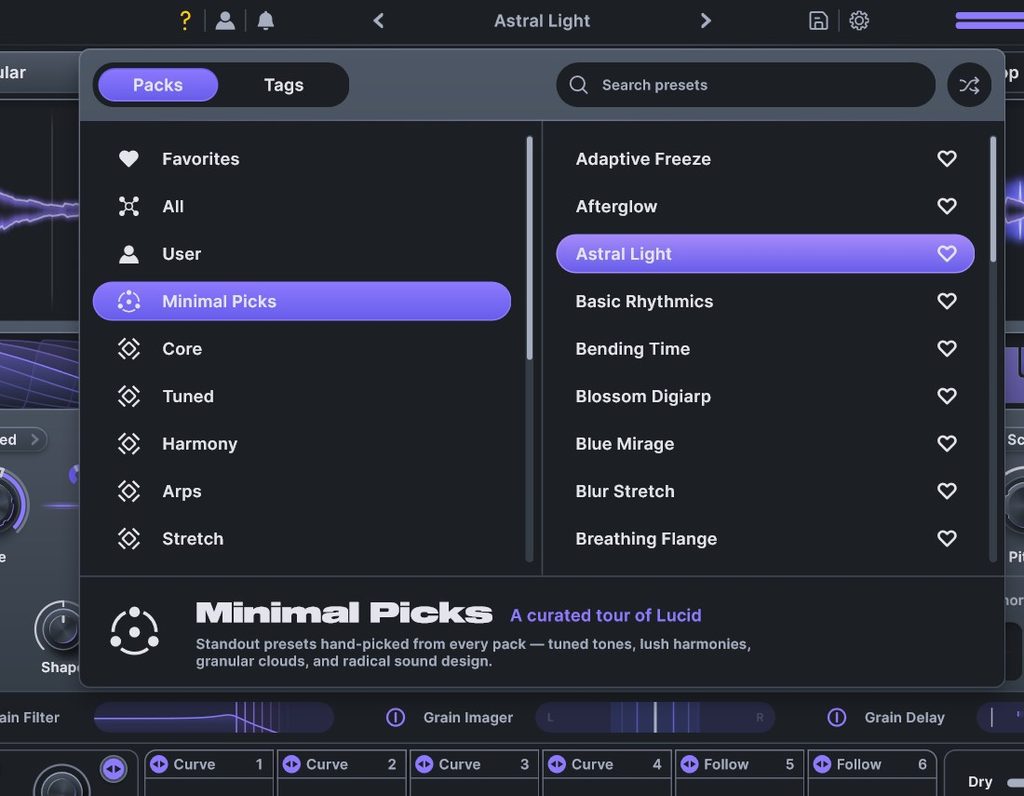
Lucid ships with 350 presets divided into searchable categories. The browser is easy to navigate, which matters because the plug-in has enough depth to invite aimless preset browsing. Use tags to narrow the starting point by source material and by the intended role in the song.
FAQ
Can Lucid keep granular processing in key?
Yes. Grain Scale-Lock maps the pitch of each grain to a selected scale after you set the song key and scale. Scale locking is not a magic solution that removes every possible dissonance, so listen to the original material and the chord progression while adjusting the settings.
Which source material is easiest to start with?
Long pads, short vocal fragments, single guitar notes, hi-hats, and percussion are excellent starting sources. Lucid is usually easier to judge in gaps and transitions than as a permanent insert on a track dominated by kick and bass.
Can Lucid stay on the master bus all the time?
Use caution. Grain processing can substantially change pitch, timing, and stereo width. Lucid is generally easier to control on a specific track, a send bus, or an automated transition section where the original foundation of the mix can remain intact.
Minimal Audio Lucid Summary
Minimal Audio Lucid is not a granular effect built only for destroying audio. Lucid is a production tool for transforming input into texture, harmony, rhythm, and space while preserving the key and tempo of the song.
Before searching for another instrument when a track feels static, give an existing source a different role. Grain Scale-Lock, Timeline Sync, Harmonic Grain Delay, Chord and Arp Modes, and the Animator Pad can make the reason for an arrangement change audible through the sound itself. Lucid is an immediate production tool for sessions that need to move forward without adding more notes or more tracks.
Create original sounds with Minimal Audio Lucid
Original Article