“Whenever I try to start a mix, I get stuck wondering which control I should touch first.” “I never know how to combine EQ and compression to make a sound feel polished.” “I do not know how to objectively identify the difference between a professional mix and my own.”
Many creators struggle with how to begin a mix. iZotope Neutron 5 Elements answers that problem with a completely new approach: AI analyzes a track and suggests the first move to make.
Neutron 5 Elements
With AI Assistant automatic analysis, Audiolens reference-track integration, Sculptor (adaptive EQ), Density (intelligent compression), saturation, and stereo-width control all in one place, Neutron 5 Elements uses AI to break down the complexity of mixing. It is a powerful tool for getting beginners and intermediate users to a professional mixing mindset as quickly as possible.
View iZotope Neutron 5 Elements in the shop
What Is iZotope Neutron 5 Elements? The Arrival of an Era Where “AI Teaches You How to Mix”
What Is iZotope? A Pioneer in AI Music Production
iZotope is a music-technology company from Boston, USA. It has become a global leader in AI-powered music-production software, including Ozone for mastering, RX for audio repair, and Neutron for mixing. Its defining approach is to automate and support the complex decisions involved in music production through machine learning. iZotope was among the first companies to make the experience of “AI analyzes the sound and suggests the best settings” genuinely practical.
The Neutron series is a product line dedicated to track mixing, with Neutron 5 as the latest version. As its introductory edition, Neutron 5 Elements offers the core features of the full version at an affordable price. It is an entry-level product with real capability, including important tools such as AI Assistant and Sculptor.
Machine Learning: A technology in which computers learn from large amounts of data, find patterns, and make subsequent predictions or decisions. In Neutron 5 Elements, AI trained on thousands of professional mixes can immediately judge which EQ and compression settings suit a track. iZotope: An American music-technology company founded in 2001. Part of the Native Instruments group, it develops industry-standard AI music-production tools such as Ozone, RX, and Neutron. Its philosophy is that AI should stand beside music creators as an assistant.
Feature 1: AI Assistant — “Analyze the Track and Suggest a Starting Point for the Mix”
Just insert Neutron 5 Elements on a track and play your DAW. It will shape the sound for you.
Site editor
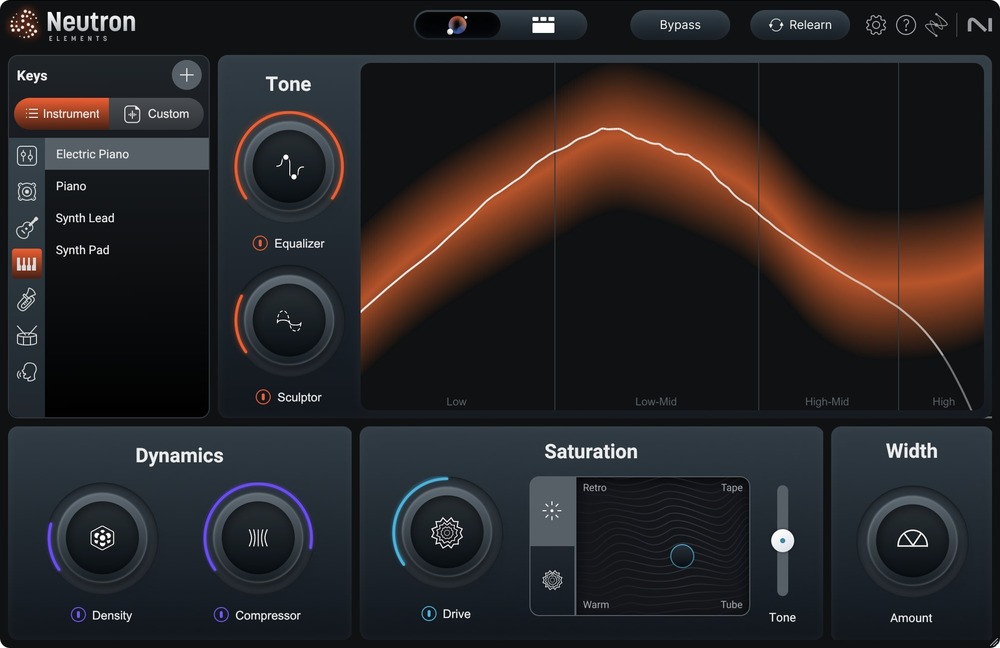
iZotope Neutron 5 Elements
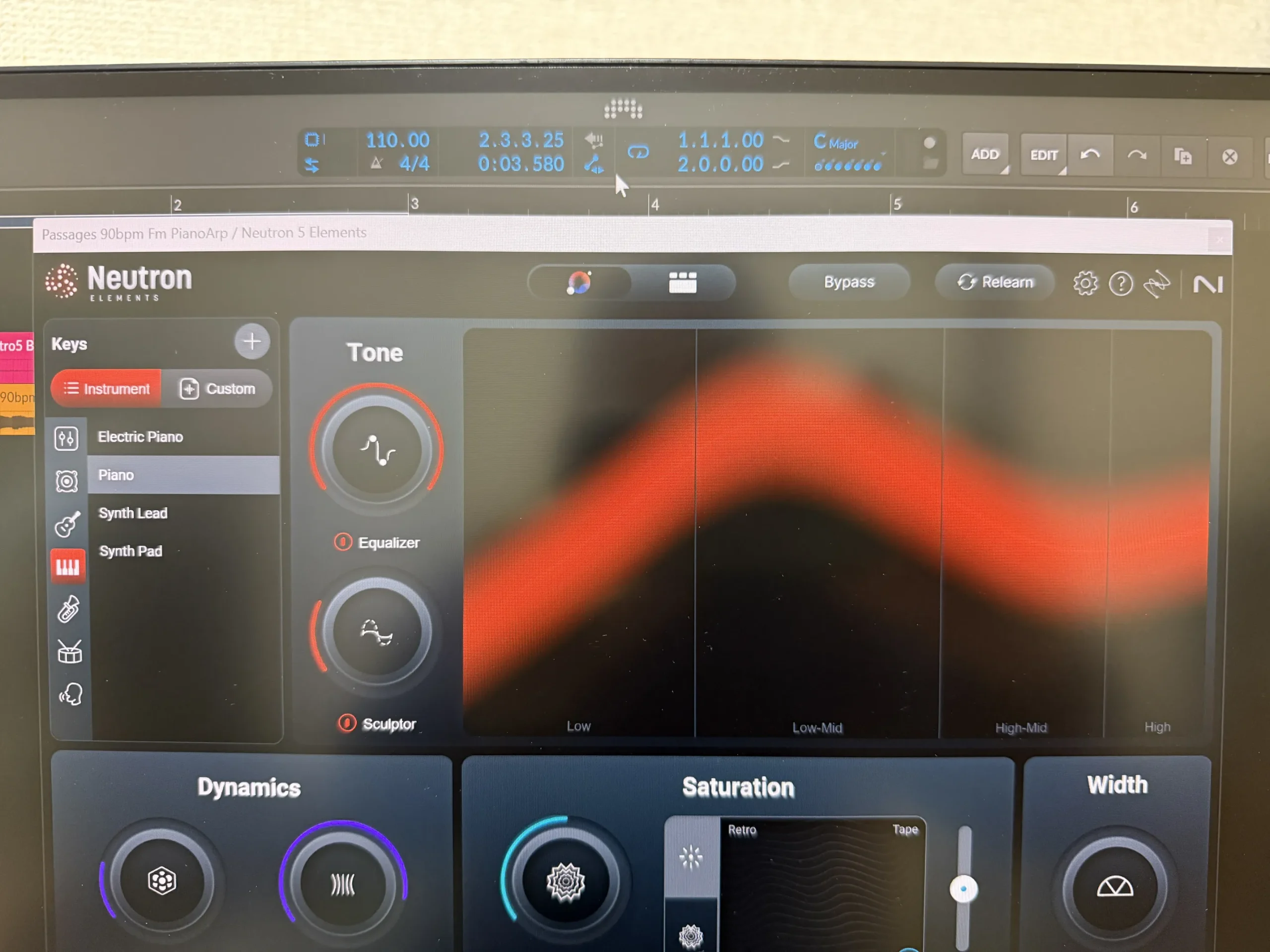
[Piano] Bypass
Processing finishes in 30 seconds or less, even at the longest.
[Piano] Neutron 5 Elements ON
A Direct Answer to “Where Should I Start?”
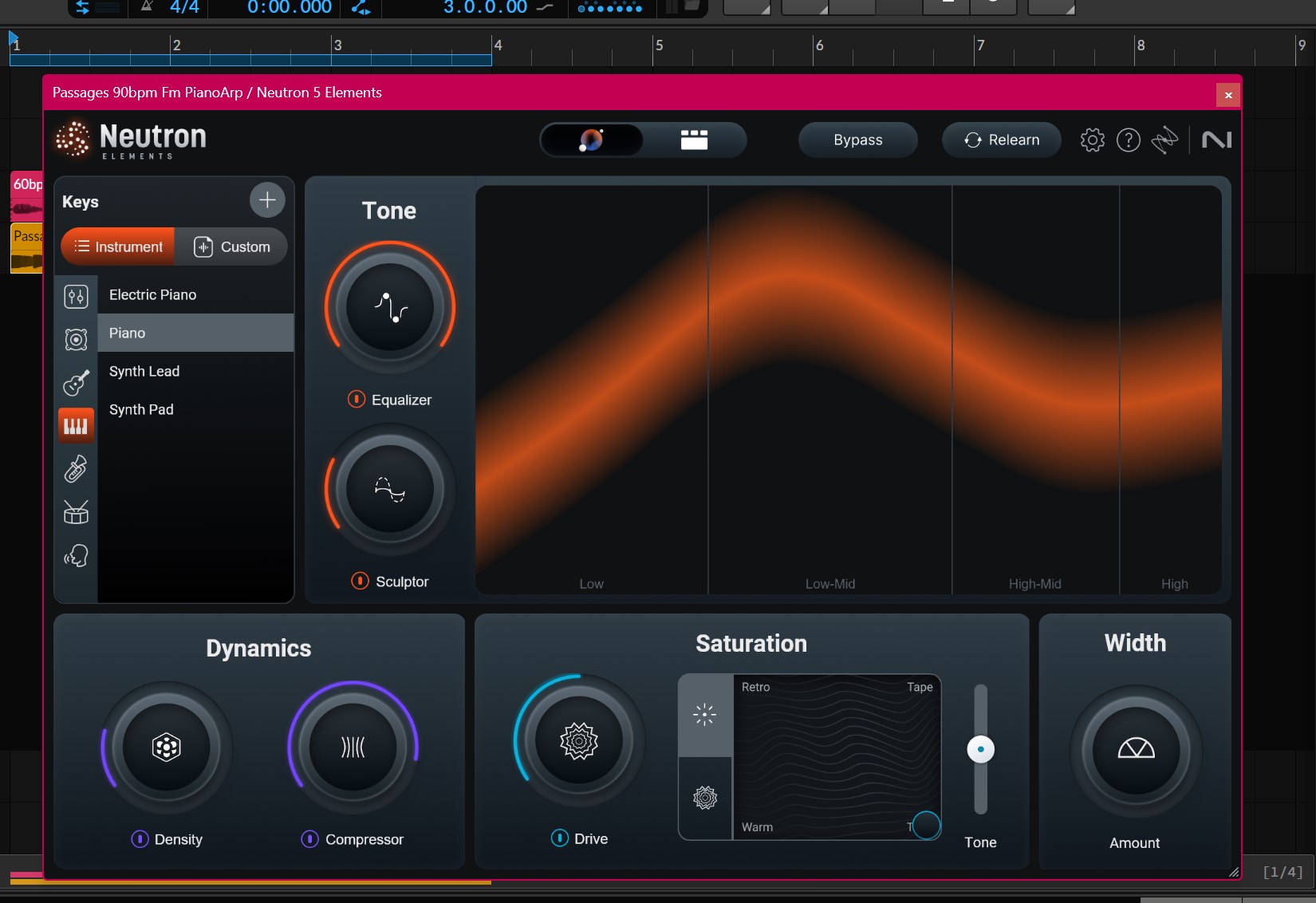
This is the core value of Neutron 5 Elements. Simply insert it on a track and launch AI Assistant; it automatically analyzes the track and creates an initial set of mix settings.
Specifically, it suggests:
- EQ settings
- the amount of compression
- the amount of saturation
- stereo-width adjustment values
AI makes the experience-dependent decisions involved in setting each parameter when you begin a mix. You can use its proposed settings as they are, or fine-tune them yourself. Instead of “setting everything from zero,” the basic Neutron 5 Elements workflow is to finish the mix from the starting point suggested by AI.
Assistant View: Review Suggestions in a Clear, Purpose-Specific Layout
Assistant View, which displays the results of AI Assistant’s analysis, automatically chooses and shows a practical tool layout suited to the characteristics of that track.
On a vocal track, it brings controls important for vocals to the front; on drums, it prioritizes dynamics-related controls. The interface automatically assesses and organizes what that track needs.
Starting point: The settings proposed by Neutron 5 Elements’ AI Assistant are not a final answer; they are a place to begin working. The design assumes that you will listen to the AI’s suggestions and adjust them to your own taste—for example, by raising a particular EQ band a little more or using gentler compression.
Feature 2: Audiolens Integration — “Visually Compare Your Mix with Professional Music You Love”
Checking Your Mix Against a Reference Track
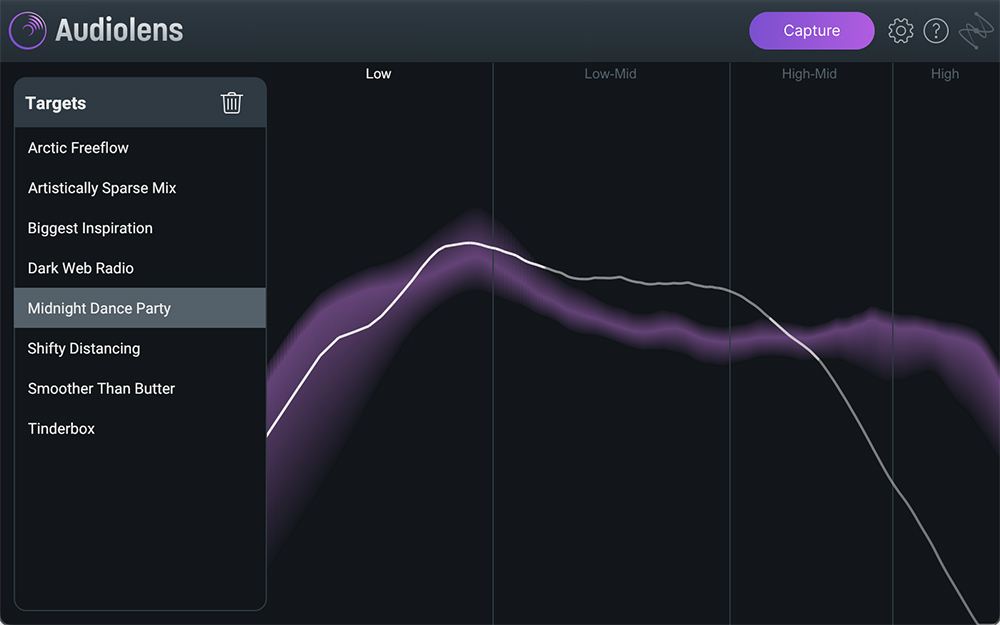
Audiolens is a free service (tool) from iZotope that can analyze music playing through Spotify, Apple Music, YouTube, and similar services in real time to capture data about its musical characteristics.
Audiolens
Audiolens is available here >> (free software)
By working with Audiolens, Neutron 5 Elements can load and reference the sound-balance data of professional songs you like inside Neutron 5 Elements.
Here is the basic workflow:
- Use Audiolens to analyze a reference song that represents the sound you are aiming for.
- Import that sound-balance data into Neutron 5 Elements.
- Compare the tonal balance of your mix with the balance of the professional reference track side by side.
- Visually check which frequency ranges have too little or too much energy.
Being able to compare the difference between professional sound and your own objectively and visually is extremely important for improving your mixing. Previously, this had to be done by ear alone. Audiolens integration makes the entirely new approach of comparing by sight possible.
Reference track: A professionally made song used as a target or model for your own mix. For example, if you want a sound like a particular Bruno Mars track, you would use that song as a reference track. Alternating between your mix and the reference to check the difference is a professional workflow. Tonal balance: The overall balance of volume across the low, mid, and high ranges. Professionally remastered music is designed with each range in an ideal balance, while amateur mixes often suffer from imbalances such as too much low end or not enough high end.
Feature 3: Sculptor — “AI EQ That Brings Out an Instrument’s Character”
A Completely Different Approach from Conventional EQ
Sculptor is a module added to Neutron 5 Elements—previously available only in higher editions. It is an adaptive EQ that understands the natural tonal tendencies of a particular instrument and adjusts its frequency balance to bring it closer to how that instrument should sound.
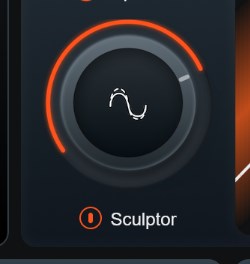
With Neutron 5 Elements, the change is easier to hear with tone matching than with Sculptor.
Site editor
With a conventional EQ, you manually decide how much to boost or cut a particular frequency. Based on AI training data that understands tendencies such as “this is the kind of tone that works well for guitar” or “this range should be brought forward for vocals,” Sculptor automatically proposes optimal spectral shaping simply by selecting the instrument type.
It is very simple to use:
- Select an Instrument Type in Sculptor, such as Guitar, Vocal, Drums, or Bass.
- Use the Shape knob to adjust how closely to move toward a natural tone.
- Choose whether to bring out the instrument’s character in a Natural direction or change it boldly in a Creative direction.
From beginners who do not know how to set an EQ to experienced users who want to decide on an EQ direction quickly, Sculptor improves both mixing speed and sound quality.
Spectral shaping: Processing that arranges an audio signal’s frequency components—the balance of volume across its various ranges—into a particular shape. While a conventional equalizer boosts or cuts specific ranges, Sculptor’s spectral shaping takes a broader approach by moving the overall tendency of a sound closer to a profile. Adaptive EQ: An EQ that analyzes the incoming signal and automatically adjusts the best EQ curve in real time. Unlike static EQ, it follows changes in the sound dynamically, enabling more natural tone shaping.
Feature 4: Density — “Intelligent Upward Compression”
A Special Form of Compression That Lifts Quiet Sounds
A conventional compressor reduces or compresses sections that are too loud. Density is a distinctive module that works in the opposite direction: it lifts quiet sounds through intelligent upward compression.
This matters because, for example, a vocal track may contain forceful shouted passages and soft, whispered ones. Conventional compression can tame the shouts, but it is difficult to address the task of lifting the whispers. Density intelligently brings up quiet passages and fine nuances in that track, making them clearer and more present.
Its specific effects include:
- Fine breaths and consonants in a vocal, such as “s,” “t,” and “h,” become easier to hear.
- Finger noise and string resonance on a guitar become richer.
- Drum-brush work and subtle touches come forward.
- The entire sound gains density and presence.
Upward compression: Processing that works opposite to conventional compression by amplifying quiet signals below a threshold. Because it makes small sounds louder, it can bring out fine detail and nuance. Compression: Processing that reduces loud passages to narrow large differences in volume (dynamics). It is widely used in applications such as electric-bass mixing and evening out vocal levels.
Feature 5: Saturation and Stereo Width — Control the Character and Spread of Your Sound
Saturation: “Adding Warmth to Digital Audio”
The Saturation module lets you choose a preferred type from several harmonic characters and add the warmth and density of analog hardware to a track. Clean digital recordings are excellent, but they can sometimes feel cold or overly tidy. Adding appropriate harmonics with saturation gives sound an organic sense of life.
Stereo Width: Shape the Left-to-Right Spread of Sound
The Width control increases or reduces how far each track spreads to the left and right. For example, setting drum overheads—microphones that record cymbals from above—wide while keeping kick and snare close to the center (mono) creates a three-dimensional placement for the drum kit. It is also effective for bringing an overly wide synth pad in slightly so that it sits better in a mix.
Feature 6: EQ and Compressor — The Fundamental Mixing Tools
In addition to advanced functions such as AI Assistant and Sculptor, Neutron 5 Elements includes fundamental EQ (equalizer) and Compressor tools.
The basic workflow is to start from the EQ and compression settings proposed automatically by AI Assistant, then make manual fine adjustments with these fundamental tools. This collaboration between human and AI—“the AI suggestion plus your own adjustment”—is central to Neutron 5 Elements’ design philosophy.
Who Is Neutron 5 Elements Especially Suited For? Five Types of User
1. Beginners who are seriously starting to learn mixing. It functions as an excellent teaching tool: use the AI’s suggestions to check your answers while learning why a particular EQ setting was proposed.
2. Intermediate users who find it tiresome to set everything from zero each time. Starting from AI Assistant’s initial proposal and adjusting only the differences dramatically improves production speed.
3. People who feel they do not know what separates their mixes from professional mixes. Audiolens tonal-balance comparison lets you identify the nature of that difference visually.
4. People who understand how to use EQ but do not know how to use it on each instrument. Sculptor’s instrument profiles show concrete directions such as what to do for guitar and what to do for vocals.
5. People who want more presence from vocals or a main melody. Density’s upward compression, which brings out fine nuances, has a particularly dramatic impact on vocals and acoustic instruments.
Differences Between Elements and the Higher Editions (Standard/Advanced)
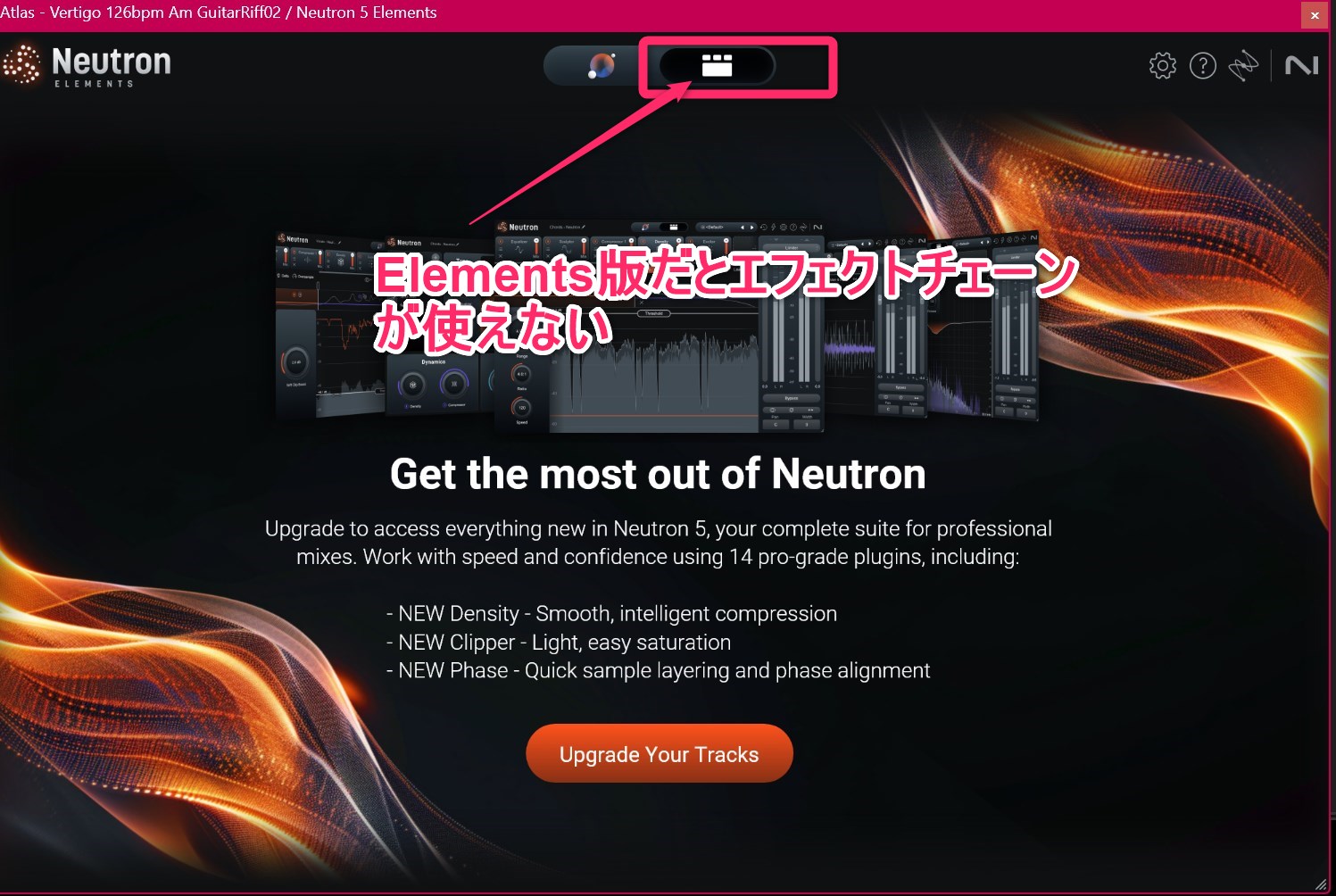
The parameters suggested by AI Assist differ very little between Elements and Advanced. Depending on the playback position, there can be minor deviations.
Site editor
If you want to customize things yourself later rather than leaving everything to AI, the Advanced edition is recommended.
Site editor
After using it for a few months, you will probably want to customize it yourself in the end.
Azaraashi
The Neutron series has three tiers: Elements, Standard, and Advanced. The main differences are as follows:
| Feature | Elements | Standard | Advanced |
|---|---|---|---|
| AI Assistant | ✓ | ✓ | ✓ |
| Audiolens integration | ✓ | ✓ | ✓ |
| Sculptor | ✓ | ✓ | ✓ |
| Density | ✓ | ✓ | ✓ |
| EQ and Compressor | ✓ (simple) | ✓ (full) | ✓ (full + advanced) |
| Unmask (masking removal) | — | ✓ | ✓ |
| Mix Assistant (automatic balance between tracks) | — | — | ✓ |
| Transient Shaper | — | ✓ | ✓ |
Elements has enough features for beginners and intermediate users who are at the stage of establishing their mixing fundamentals. A sensible sequence is to consider upgrading to Standard or above once you are ready to take on complex, serious multitrack mixes.
Masking: In music, the phenomenon in which one sound covers up another. For example, when bass and kick overlap in the same frequency range, they mask each other and both become harder to hear. The Unmask feature in Neutron Standard and above automatically detects and resolves this problem. Neutron: An AI plug-in series for track mixing developed by iZotope. With innovative features such as AI Assistant, Sculptor, and Density, it has pioneered a new category of intelligent mixing.
Conclusion: iZotope Neutron 5 Elements Is an Experience of Welcoming an AI Partner into Your Mix
iZotope Neutron 5 Elements combines AI Assistant automatic analysis, Audiolens reference comparison, Sculptor adaptive EQ, Density upward compression, saturation, and stereo-width control. It is a fitting plug-in for entering an era in which AI helps you think through a mix.
For anyone who feels, “I mix by intuition, but I can tell there is a gap between my work and professional mixes,” or “I do not know where to begin,” Neutron 5 Elements offers a new AI mixing partner. Rather than struggling alone, finish your mix while working with AI. Experiencing that workflow may fundamentally change the way you approach mixing.