A broad range of sound sources is included: piano, organ, keyboard, guitar, bass, strings, brass, woodwinds, pads, choir, synths, FX, and drums.
ZENOLOGY PRO / ZENOLOGY PRO Collection: the culmination of Roland synths
A synth that could be called the culmination of Roland synths.
ZENOLOGY brings together more than 50 years of Roland’s synthesizer research and development. It spans sounds from the dawn of the synthesizer to its future, opening new possibilities for sound.
ZENOLOGY uses the ZEN-Core sound engine.
This is the very synth sound engine used in generations of Roland synths, letting you recreate the crisp texture of hardware synths directly in your DAW.
It also benefits people who already own Roland synths, because it integrates with recent hardware equipped with ZEN-Core.
You can edit in the software and export to ZEN-Core hardware such as FANTOM and JUPITER-X.
Sounds created with the ZEN-Core system can be played on entirely different ZEN-Core-compatible hardware. For example, a sound created on a FANTOM in the studio can be transferred to an AX-Edge shoulder keyboard and performed on a live stage.
ZENOLOGY is a soft-synth plug-in that uses the ZEN-Core system.
Key features of ZENOLOGY PRO
- A ZEN-Core Synthesis System plug-in synthesizer for Mac and Windows.
- More than 4,000 tones and 200 drum kits, expandable easily from a selection of more than 10,000 total sounds.
- Roland Cloud Sound Packs and Wave Expansions are available.
- An advanced Tone Browser makes it easy to find sounds, tag favourites, and create custom banks.
- Up to four partials per tone, each adjustable for oscillator, filter, amp, dual LFO, and EQ, enable flexible sound design.
- Many synth types, including advanced virtual analogue and modern PCM, can be layered.
- Four oscillators offer nine virtual-analogue waveforms plus SuperSAW, Noise, PCM, and PCM SYNC.
- 1,840 PCM waveform presets are included, expandable to more than 7,000.
- Ten filter types are provided, including JUPITER filters and filters from other renowned synths.
- Eleven LFO types are provided, including a tempo-synchronisable STEP LFO with a choice of 37 curves per step.
- More than 90 high-quality effects are included, including new reverbs, JUNO-106 and CE-1 chorus, SDD-320 Dimension D, and a DJ-FX looper.
- A modern, resizable user interface supports a flexible, smooth workflow.
- Edits made in ZENOLOGY Pro can be shared with ZEN-Core-compatible hardware including FANTOM, JUPITER-X, JUNO-X, RD-88, MC-101, and MC-707.
- In addition to ZENOLOGY and ZENOLOGY Pro, ZENOLOGY Lite is available free with a Roland account.
If you want Roland synth sounds, ZENOLOGY PRO is indispensable.
If you own a Roland synth that uses ZEN-Core, it can integrate with ZENOLOGY PRO.
Official sound demos
Roland · ZENOLOGY Software Synthesizer Demo Songs and Sounds
Since release, this plug-in has not gone on sale very often.
Source-stated sale: Roland ZENOLOGY Pro Plugin of the Week Sale – 57% off.
21–28 September 2026: ZENOLOGY PRO sale, 57% off.
¥39,910 → ¥16,874
Prices may vary with exchange rates.
ZENOLOGY PRO review
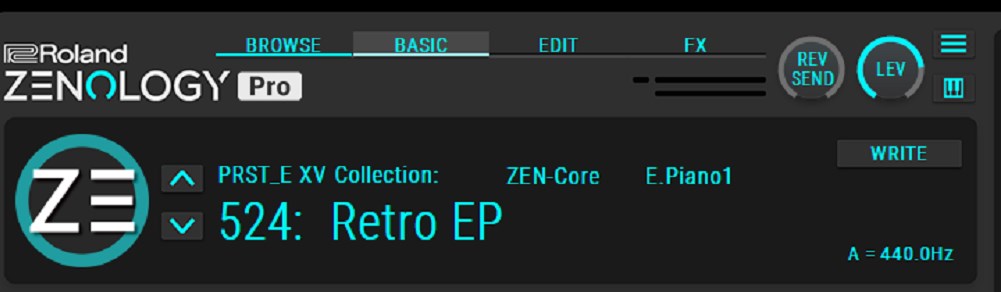
Roland ZENOLOGY PRO
Overall rating: 4.5 / 5
Pros
- Recreates Roland hardware-synth sounds in a DAW.
- Extensive sound banks.
- Starts quickly despite the large sound library.
Cons
- The UI is not good.
So, here is the ZENOLOGY PRO review.
The subject of this review is ZENOLOGY PRO.
What’s good about ZENOLOGY PRO
For people who have previously used Roland hardware synths and remember their sonic character, or who have played keyboards in a band, this is a soft synth that will make you smile as you play it.
That’s because it sounds exactly like a Roland synth.
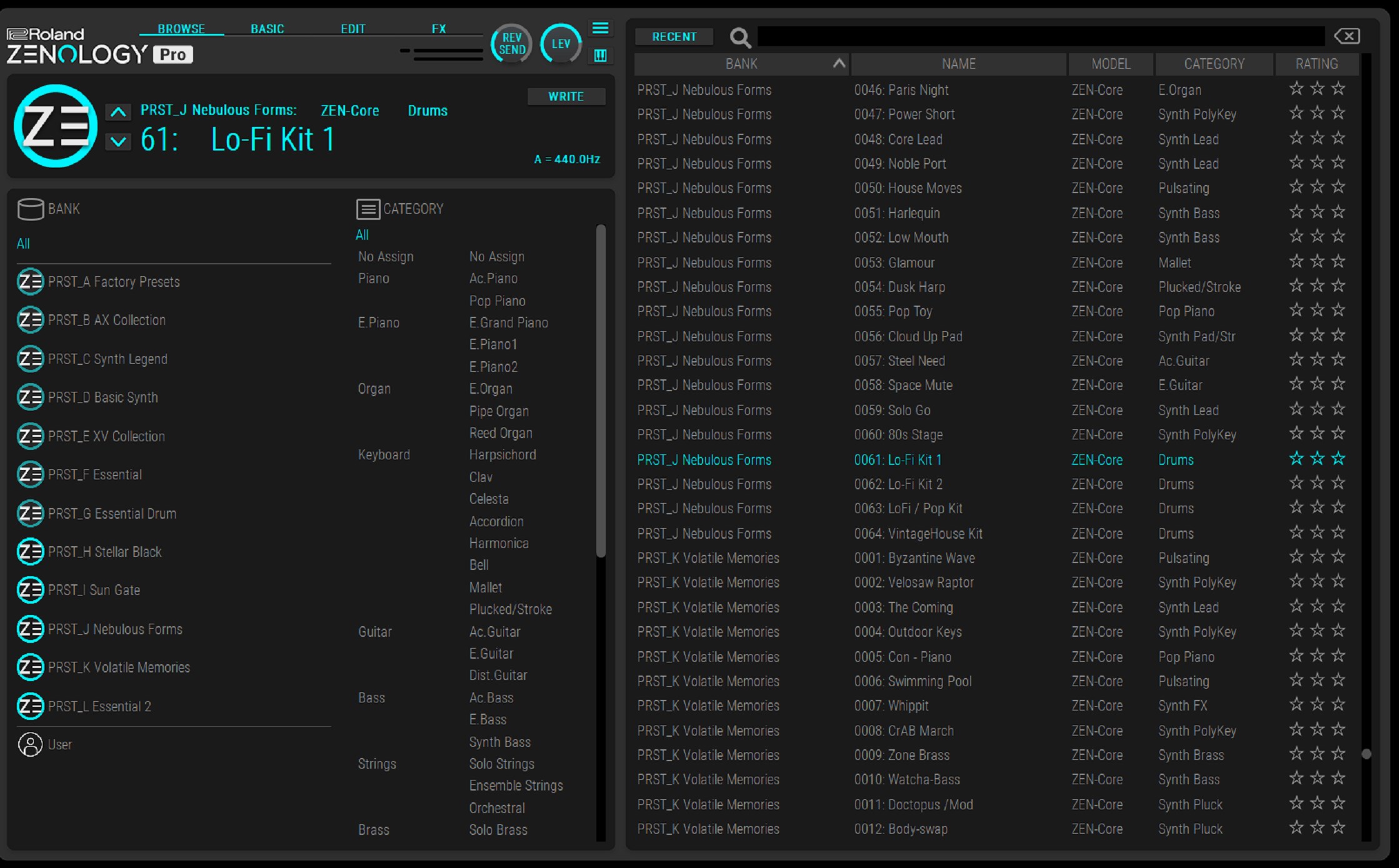
When you buy a hardware synth, its sounds are categorised as piano, organ, keyboard, guitar, bass, strings, brass, woodwinds, pads, choir, synths, FX, and drums. Those same sounds can be used in ZENOLOGY.
It is fair to think of it as a soft synth that gives you the sounds included in hardware synths as they are.
For that reason, it is not the kind of synth you instantly pull up to make EDM, like MassiveX, Serum, or VPS Avenger2.
When you listen to ZENOLOGY presets on their own, they may sound somewhat understated. But when mixed with other instruments, they sit well: they do not stick out, yet they retain a sonic presence. That makes them highly usable and should make the later mix easier.
Can beginners in music production use it?
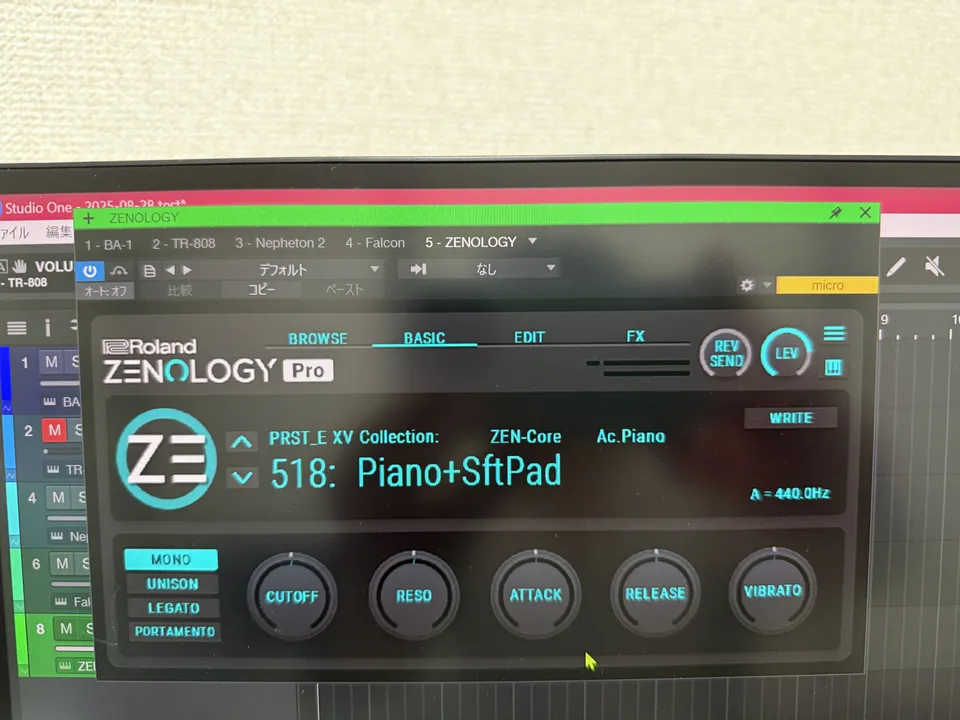
Many recent soft synths divide their interface into an easy mode suitable for music-production beginners and an Advanced mode for experienced users. When you select the BASIC tab in ZENOLOGY PRO, it likewise becomes a simplified, easy UI mode.
It is simple enough to convey the feeling of choosing a preset and saying, “Let’s make some sound!”
Overwhelming number of included sounds
As you use ZENOLOGY PRO, the sheer number of included sounds can feel overwhelming.
There are four oscillators, selectable from PCM, VA, PCM SYNC, SuperSAW, and Noise oscillator types.
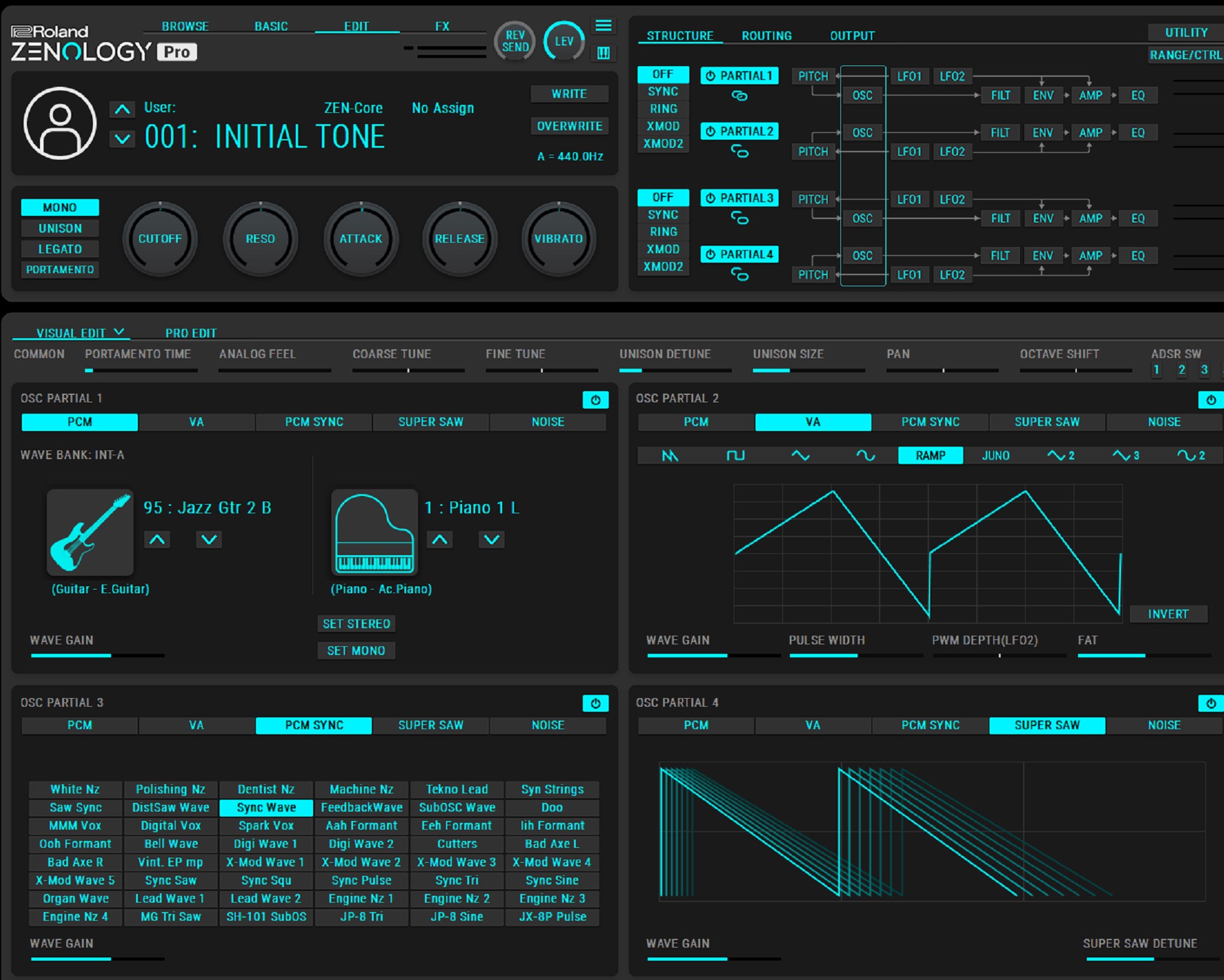
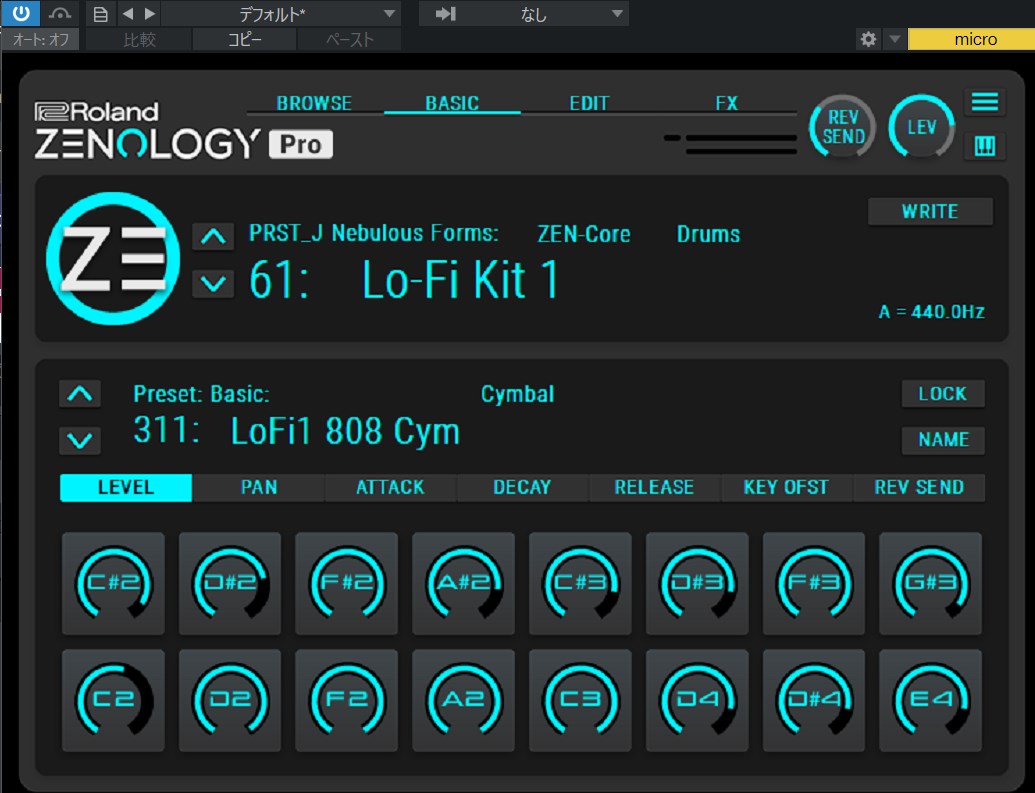
The EDIT screen comes in two types, VISUAL EDIT
and PRO EDIT
; choose whichever is easier to use. PRO EDIT
is entirely for people accustomed to operating hardware synths.
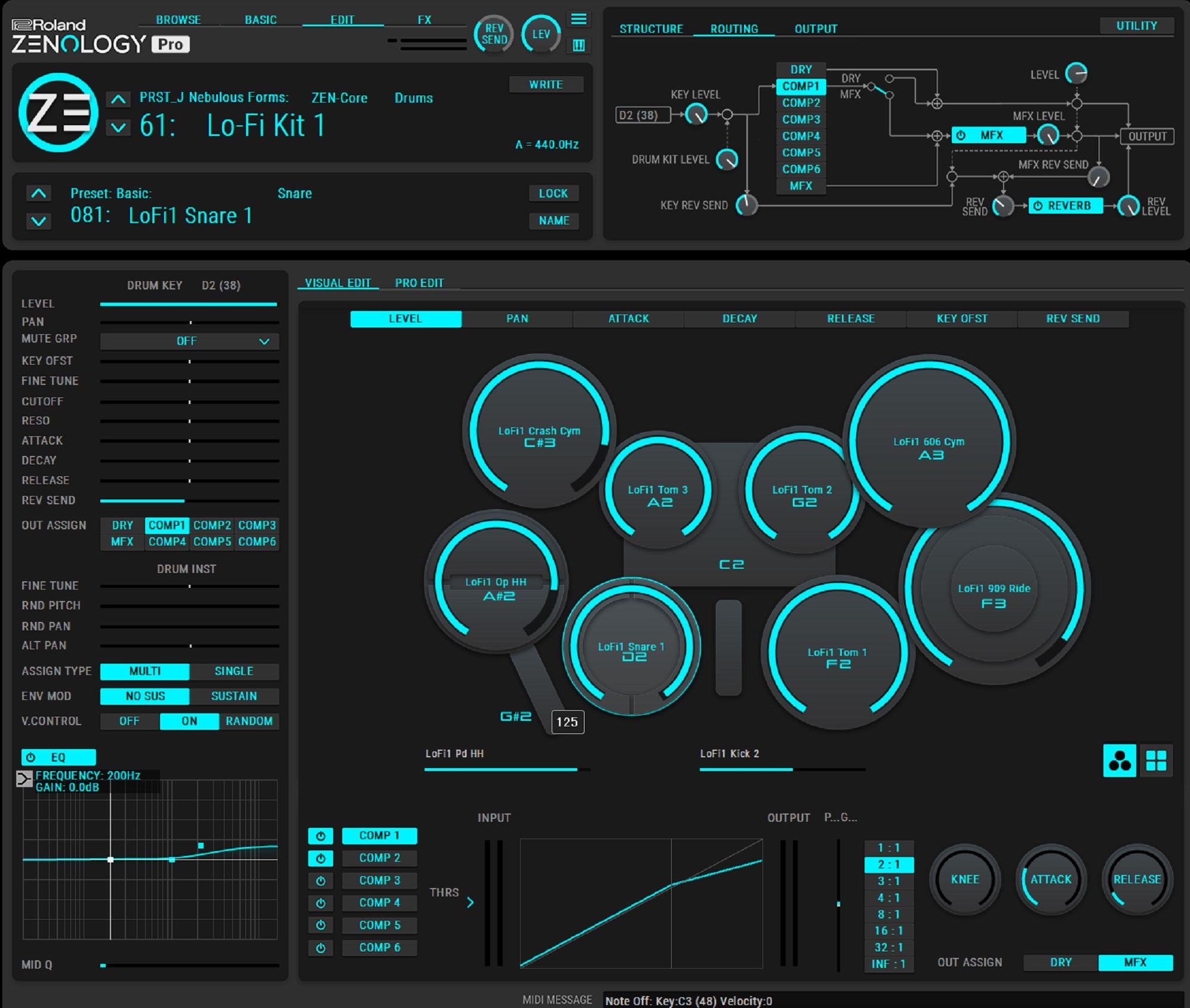
The effects section includes more than 90 high-quality effects
.
You set MFX and REVERB, then route them.
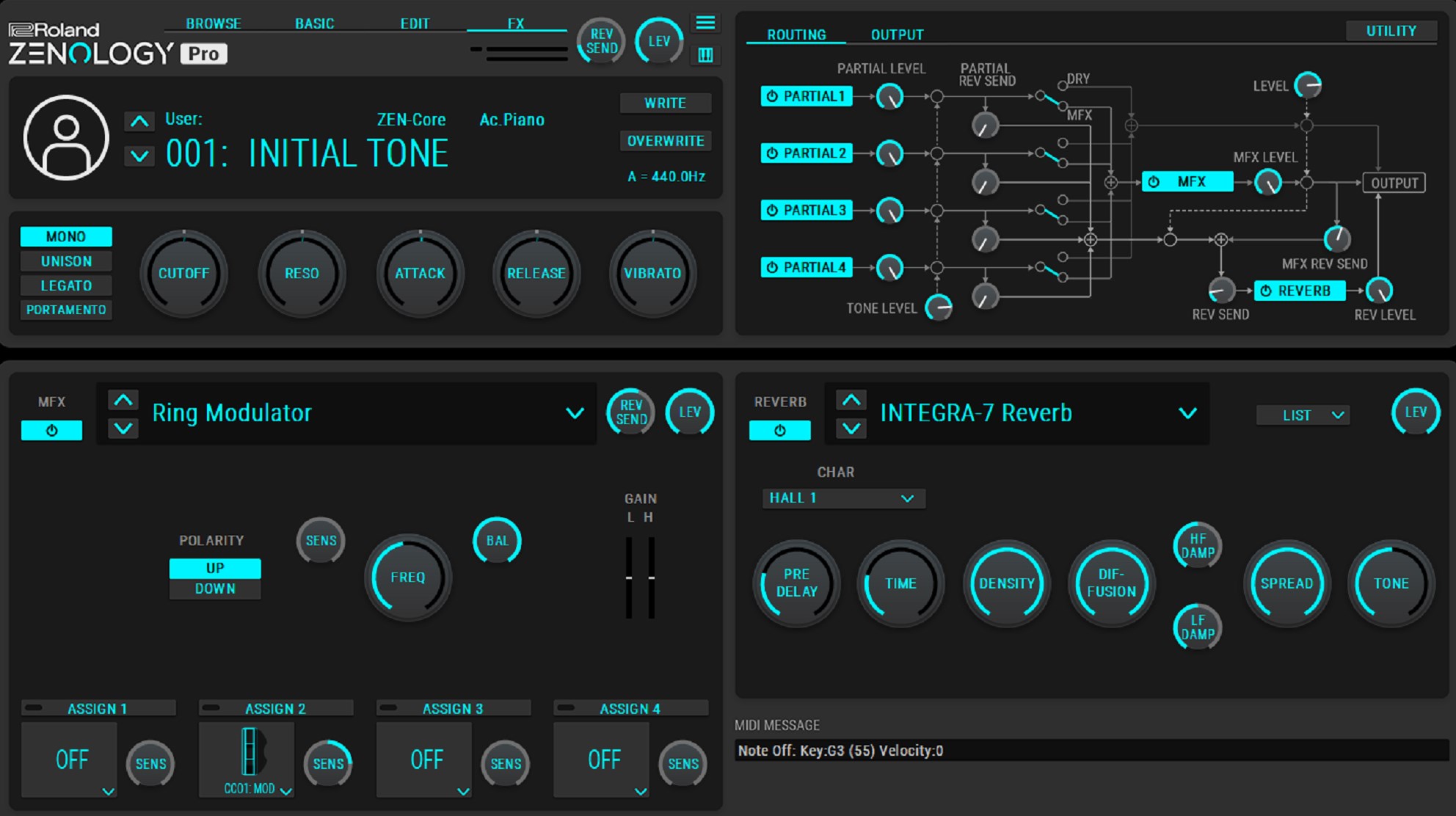
There is a lot you can do and a very broad range of sounds you can make, so ZENOLOGY PRO alone can handle a great many things.
Points of concern
You may have noticed this after looking at the screenshots shown so far.
The colours used are limited to teal, black, grey, and white. The text is grey, so readability can be poor depending on your monitor’s brightness.
To be honest, the overall UI design is not great. If you are used to newer overseas soft synths, it strongly highlights the difference in UI between Japanese and overseas products.
I did not initially notice the search form in the upper-right corner of the Browser screen and spent time looking for it, so it takes a while to get used to.
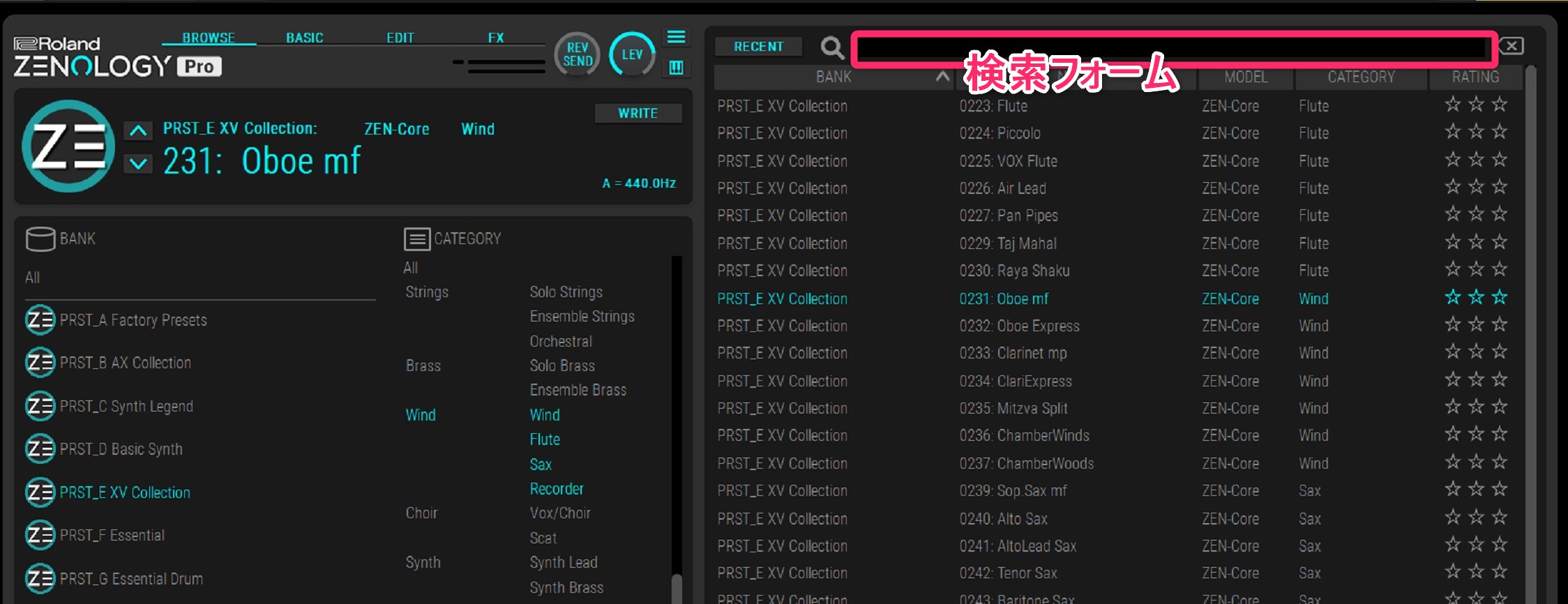
The often-switched Browse, Basic, Edit, and FX tabs are small and can be difficult to click.
It would be good if clicking the preset-name area did not always open the Browser screen.
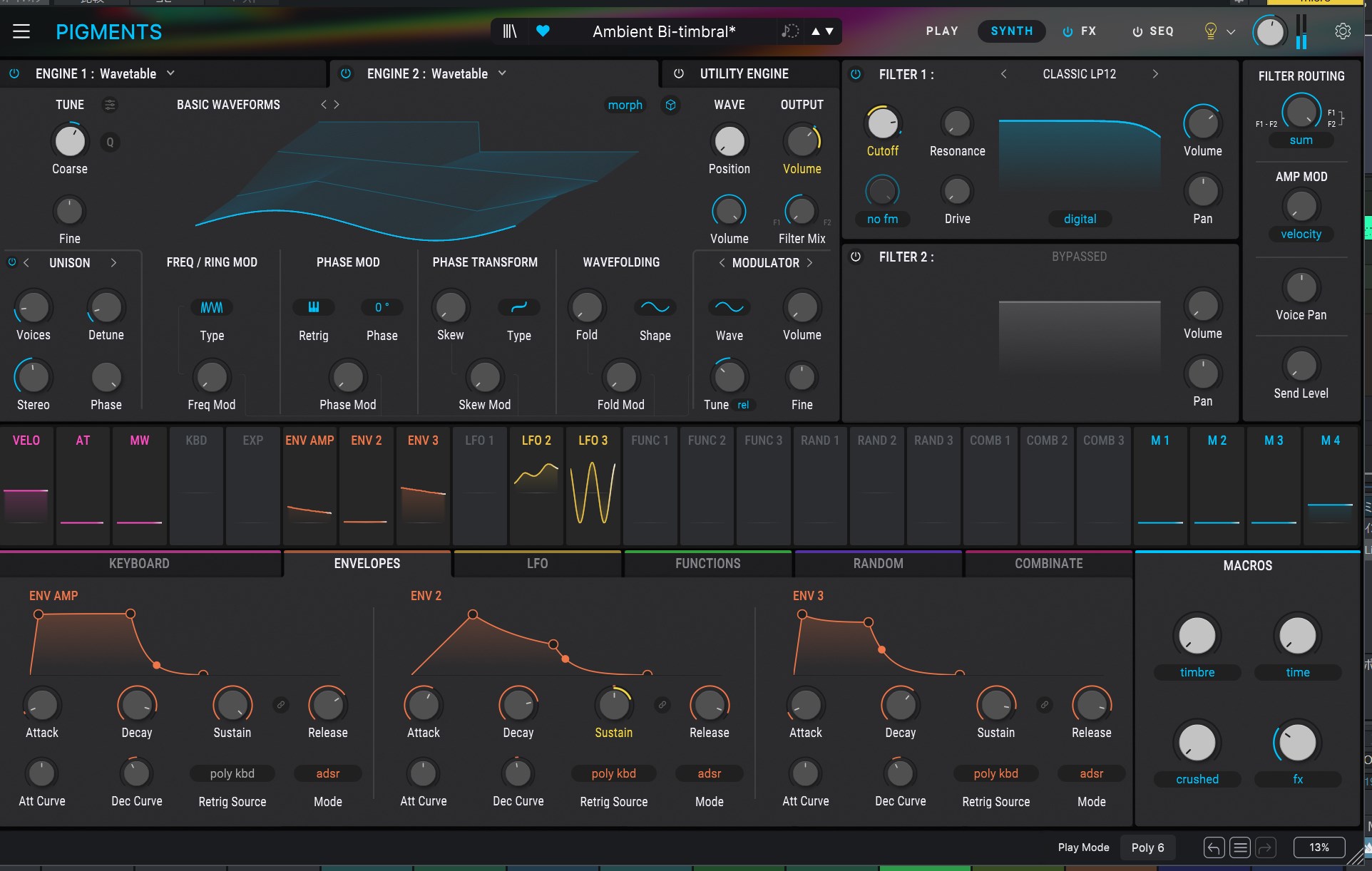
Finally, I would like one more effects slot. There are many usable effect types, but not many slots, which can feel insufficient for people who want to layer effects heavily.
Note about ZENOLOGY FX
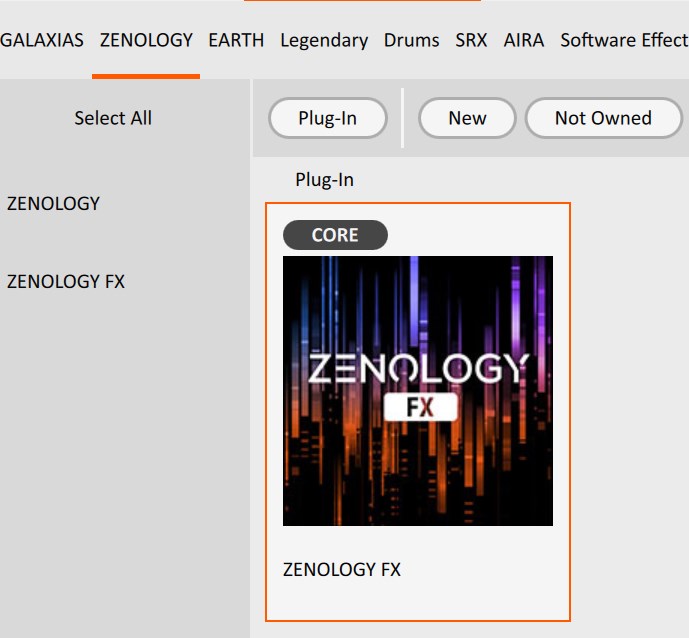
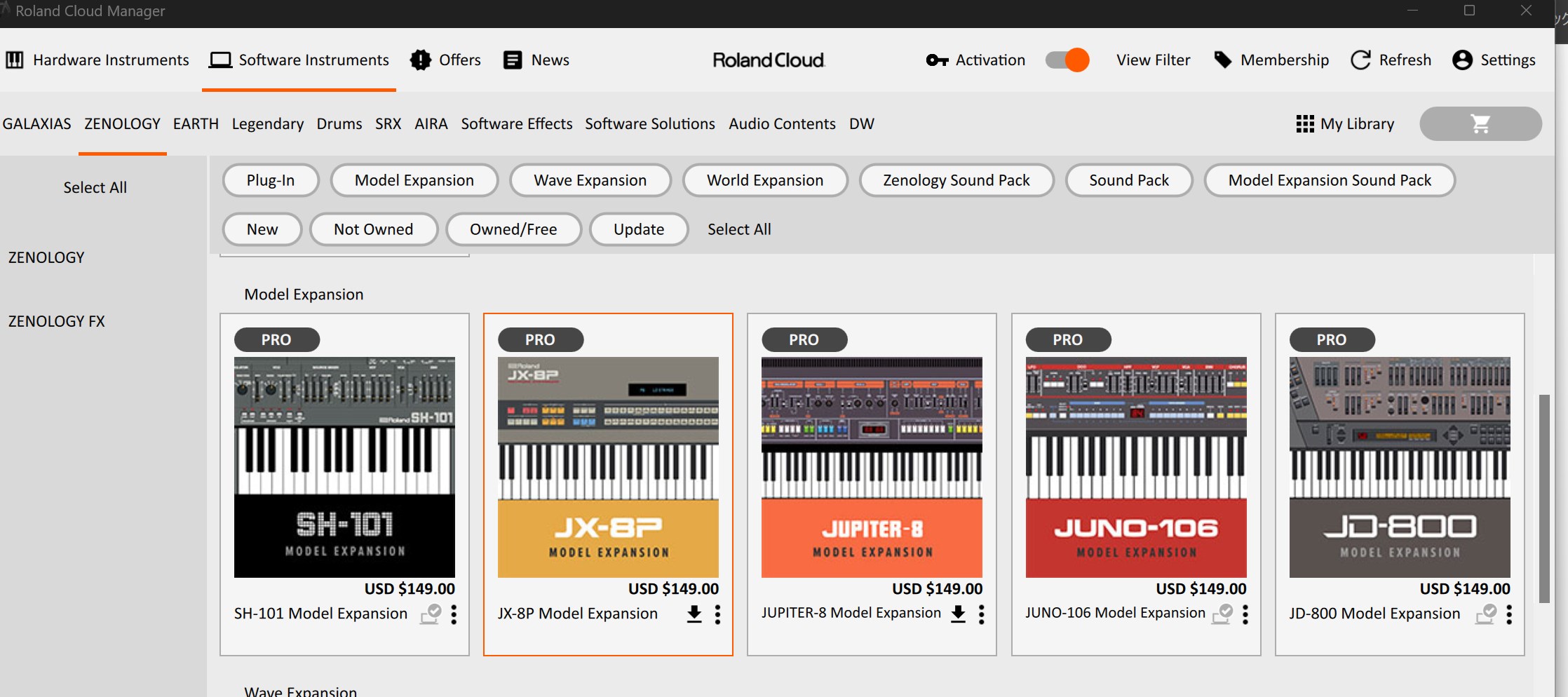
When you open Roland Cloud Manager, you will see a plug-in called ZENOLOGY FX.
This plug-in lets you use ZENOLOGY’s effects as a plug-in inserted on a track, but it is not available even if you purchase a perpetual ZENOLOGY licence.
ZENOLOGY FX is a plug-in limited to Roland Cloud subscribers.
This point requires attention.
Fast start-up despite the large sound library
One point I personally want to recommend is that it starts quickly despite the large number of included sounds.
With MassiveX and Serum2, there is a small wait after you select a track before the plug-in window that opens at the same time appears.
When you are undecided about a sound and keep going back and forth to compare options, that wait becomes a tremendous waste of time.
ZENOLOGY does not create that wait and responds briskly, which I think is very good. Its snappy operation does not become a source of stress while composing, so you can concentrate on the work.
ZENOLOGY PRO Collection
With the top-tier ZENOLOGY PRO Collection, you can use Roland’s vintage-synth sound collection.
Since around 2023, it seems that songs drawing actively on older synth sounds—taking inspiration from the international appeal of Japanese city pop—have increasingly appeared on Japanese charts.
For people who have used synths for years, these may be old sounds; for younger generations who do not know them, they feel new.
This is where Roland’s vintage-synth sound collection comes in.
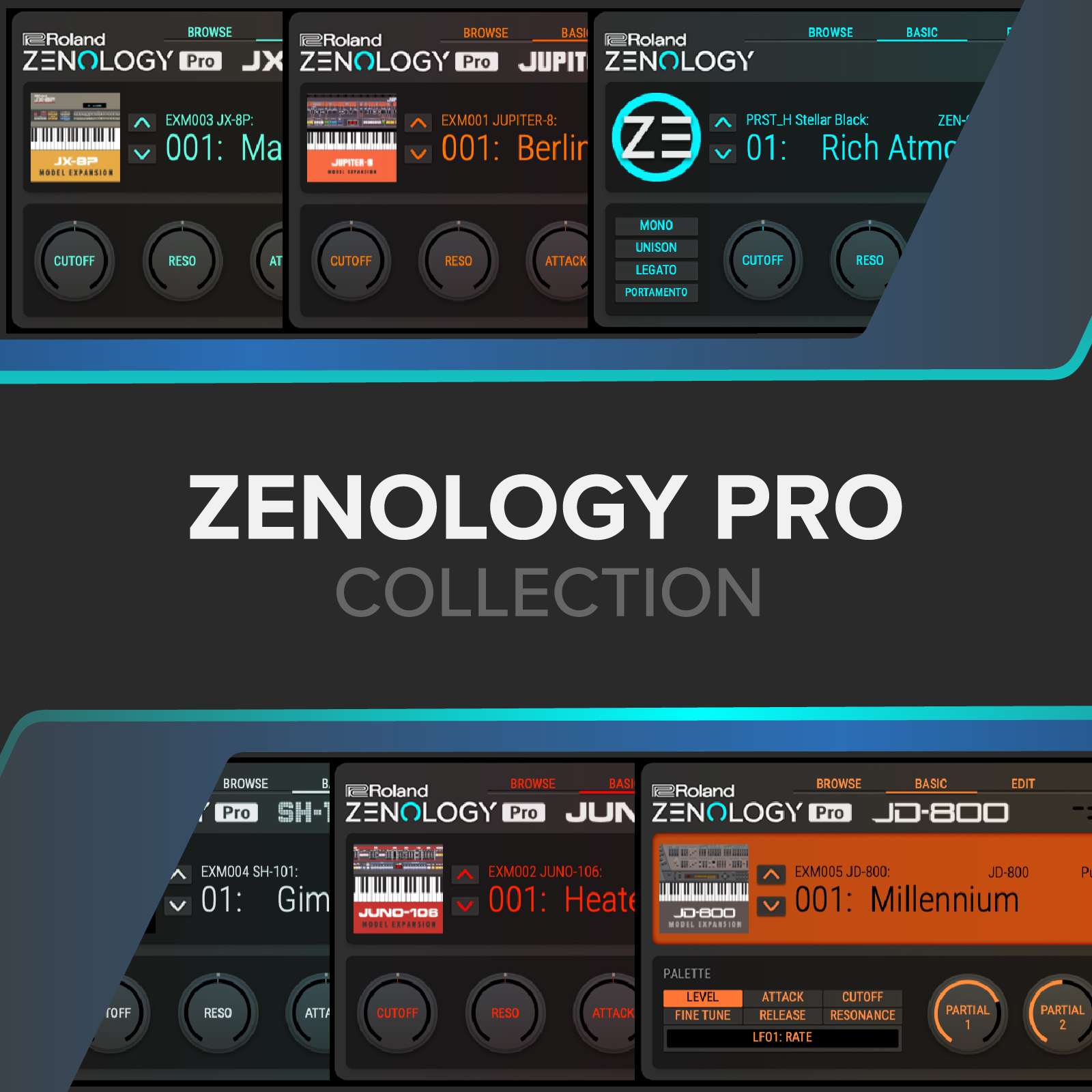
In addition to ZENOLOGY PRO, ZENOLOGY PRO Collection includes five Model Expansions that reproduce the sounds of five iconic Roland synths.
ZENOLOGY PRO Collection includes
- JUNO-106
- JUPITER-8
- SH-101
- JD-800
- JX-8P
Related reading
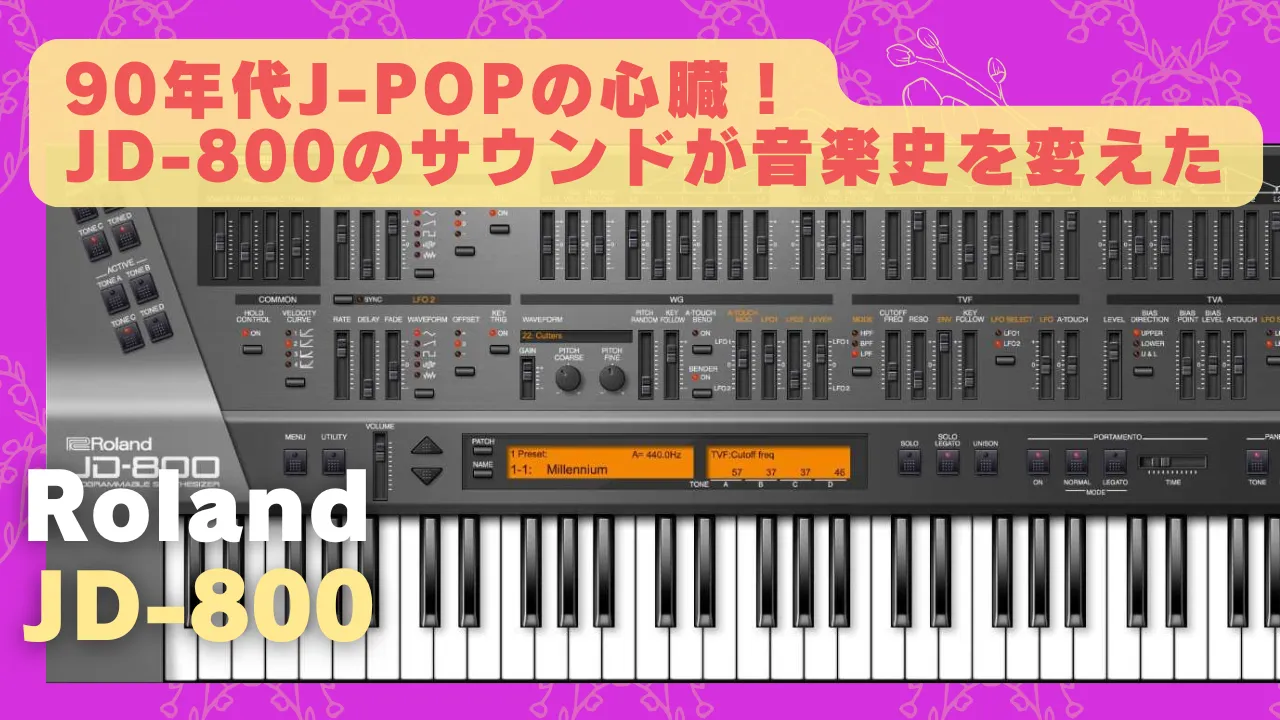
Roland JD-800 sale: the heart of 1990s J-pop, and how its sound changed music history
1990s sound returns today. Behind the sparkling J-pop and techno of the era was often the magic of the JD-800. Move the sliders and it feels like time travel; why this famed Roland synth still matters…
Each of these instruments is known for vintage-synth sounds that represent the sound of its era.
These models are sold as individual instruments, but buying ZENOLOGY PRO Collection creates overlap with them.
| ZENOLOGY Lite | ZENOLOGY | ZENOLOGY Pro | ZENOLOGY Pro Collection | |
|---|---|---|---|---|
| ZENOLOGY software | ○ (User data cannot be saved, and tone/drum-kit sounds cannot be imported or exported.) | ○ | ○ | ○ |
| Preset sounds | Tones: 240 Drum kits: 10 | Tones: 4,106 Drum kits: 109 | Tones: 4,106 Drum kits: 109 | |
| Advanced editing | ✕ | ✕ | ○ | ○ |
| Save/import/export sounds | ✕ | ○ | ○ | ○ |
| JUNO-106 (Expansion) | ✕ | ✕ | ○ | |
| JUPITER-8 (Expansion) | ✕ | ✕ | ○ | |
| SH-101 (Expansion) | ✕ | ✕ | ○ | |
| JD-800 (Expansion) | ✕ | ✕ | ○ | |
| JX-8P (Expansion) | ✕ | ✕ | ○ | |
| Available Roland Cloud plan | Free | Core | Pro | Ultimate |
| Standalone price (as at 8 August 2025) | ¥37,120 | ¥97,095 |
For use with ZENOLOGY PRO:
- JUNO-106
- JUPITER-8
- SH-101
- JD-800
- JX-8P
Those Model Expansions can also be bought individually later, so you can keep the cost down with the Pro version by not buying models you think you will never use. If you want all five, buying them separately later makes the total cost high, so it is a better value to get them together in ZENOLOGY PRO Collection.
ZENOLOGY PRO Collection sale details >>
Free version: ZENOLOGY Lite
A trial version, ZENOLOGY Lite, is available so you can find out what ZENOLOGY’s UI and sounds are like.
It is available to people with a Roland account.
Differences between Roland, KORG, and Yamaha synth sounds
When choosing a Japanese-made synth, a point of interest is the difference between the sounds of the three major makers: Roland, KORG, and Yamaha. With hardware synths, the keybeds also differ by maker, so the feel when you press a key is another selection factor.
The impression is roughly as follows.
Roland:
Warm, thick sounds, ideal for electronic music and live performance. Strong when you want an analogue feel or need powerful basses and leads.
Korg:
Bright, diverse timbres suited to experimental, intuitive sound design. Well suited to techno, electronica, and live improvisation.
Yamaha:
Clear, precise sound. Ideal when you want the distinctive texture of FM synthesis or realistic reproduction of acoustic instruments.
This is my personal view, but Roland feels like an all-purpose choice that works for band music as well as electronic music. Of course, genres impose no limitation, so I think the best choice is the maker that has the sound you want.
Summary
ZENOLOGY lets you play, in a soft synth, the sounds of ZEN-Core, the technology that supports Roland’s synth-engine sound.
There are areas of the UI that feel difficult to use, but the sound quality is outstanding.
For people who want the crisp character of a hardware synth, it offers an exceptionally clear choice of sound. It also sits well in an arrangement, making it highly useful sonically.
Buy here
Installation method
The installation method is somewhat unusual.
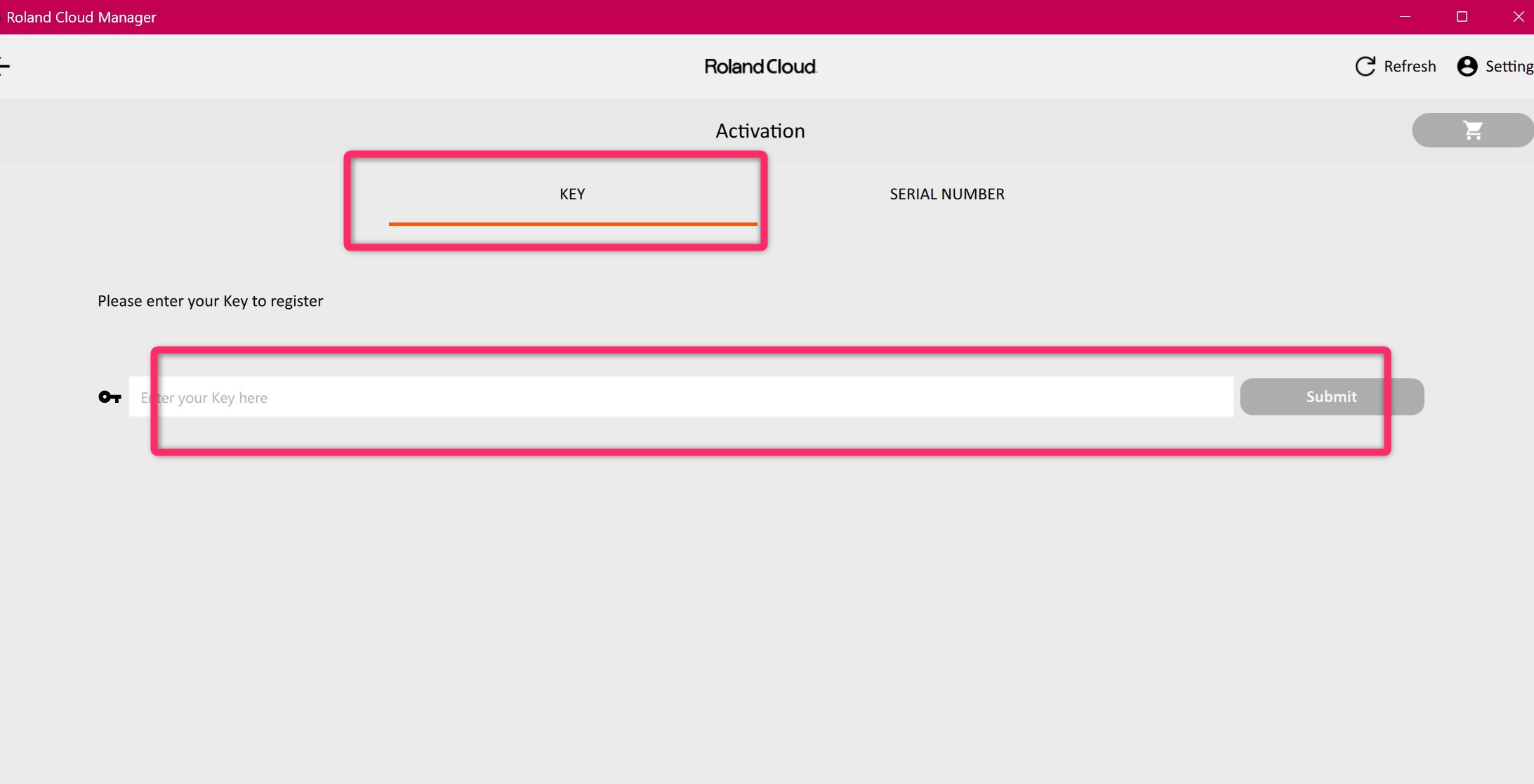
You use Roland Cloud Manager for installation.
[1] Download and install Roland Cloud Manager.
[2] Launch Roland Cloud Manager and sign in with your Roland account.
Click Activation
in the menu.
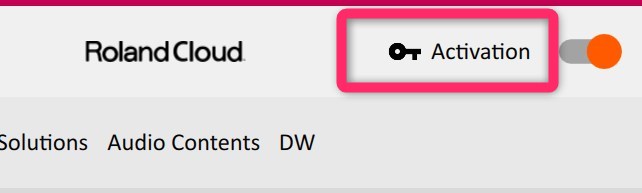
[3] Enter the Roland plug-in serial number in the Enter your Key here
field, then click Submit
.
Past sales
Source-dated sale record: Roland ZENOLOGY Pro Plugin of the Week Sale – 57% off.
21–28 September 2026: ZENOLOGY PRO sale, 57% off.
¥39,910 → ¥16,874
Prices may vary with exchange rates.
Source-dated sale record: 1–30 May 2026: ZENOLOGY PRO sale, 50% off.
¥39,488 → ¥17,071
Prices may vary with exchange rates.
Source-dated sale record: Roland ZENOLOGY Pro x Plugin Boutique 14th Anniversary Sale (Exclusive) – 50% off.
30 January–15 February 2026: ZENOLOGY PRO sale, 50% off.
¥38,493 → ¥19,162
Prices may vary with exchange rates.
Source-dated sale record: ZENOLOGY PRO.
7–31 August 2025: ZENOLOGY PRO sale, 30% off.
¥37,027 → ¥25,870
Prices may vary with exchange rates.
Source-dated sale record: ZENOLOGY PRO Collection.
7–31 August 2025: ZENOLOGY PRO Collection sale, 30% off.
¥96,852 → ¥67,748
Prices may vary with exchange rates.
Choose this when you want the sound of Roland hardware synths.