A characterful “dirtying” plugin you can use on any instrument
This article covers how to use, review, and sale information for XLN Audio’s RC-20 Retro Color.
It is especially worth considering for anyone who wants to create Lo-Fi / Chill Beat-style tracks.
Its sibling product, XLN Audio DB-30 Drum Butter, has been released!
Related reading
How to Use and Review DB-30 Drum Butter: A magical multi-effects plugin that dramatically changes drum sound designDesigned for drums, but it can create interesting effects on other audio material too. As RC-20 Retro Color’s sibling product, it offers RC-20’s easy-to-understand approach…
Who Is RC-20 Retro Color Recommended For?
- People making lo-fi music
- People who want to make Lo-Fi / Chill Beat music but do not know which plugins to use
XLN Audio RC-20 Retro Color

Overall rating
( 4 )
Pros
- Focused on simplicity and clarity
- Excellent presets
Cons
- There are more lo-fi plugin choices now than there used to be
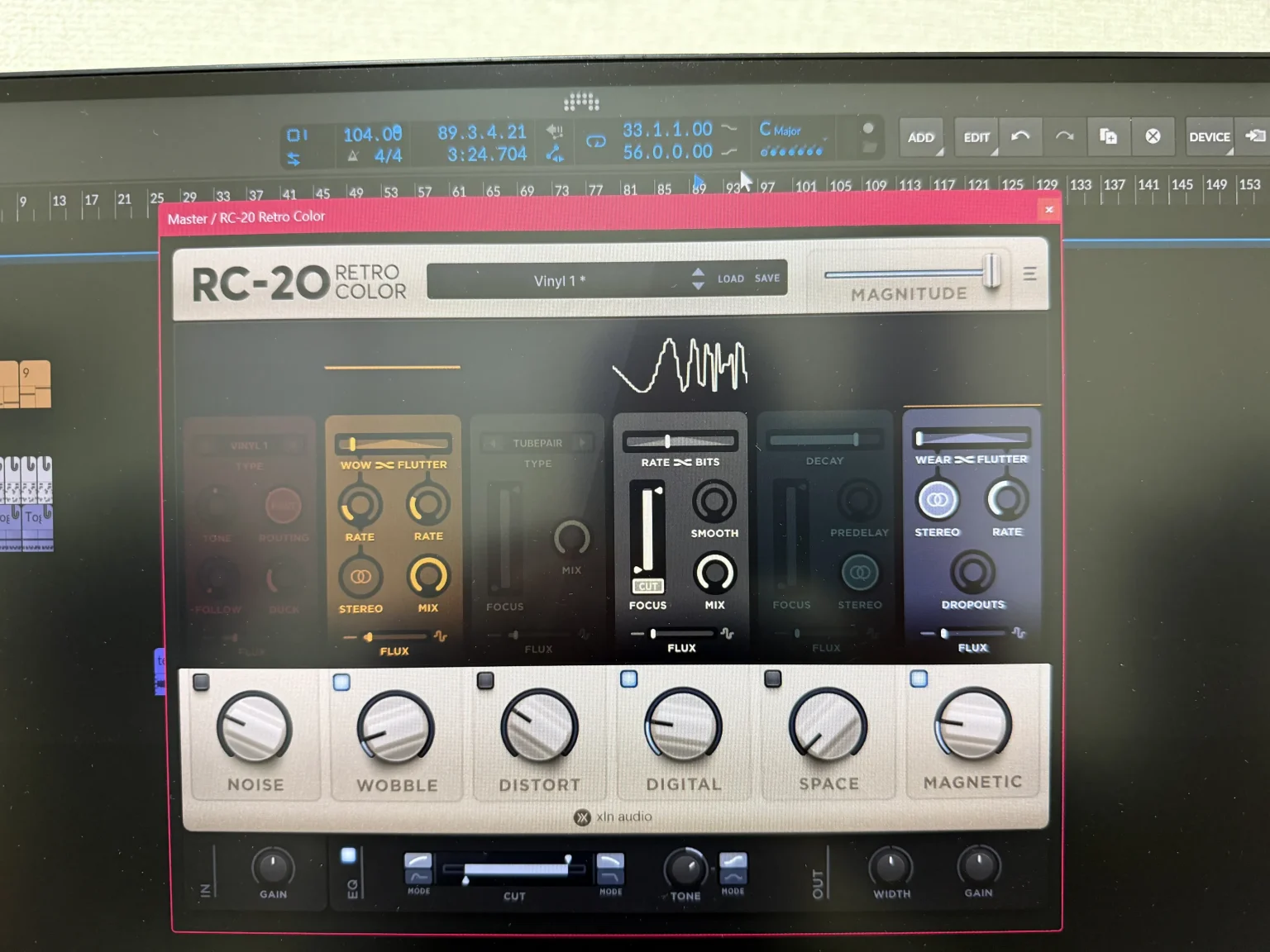
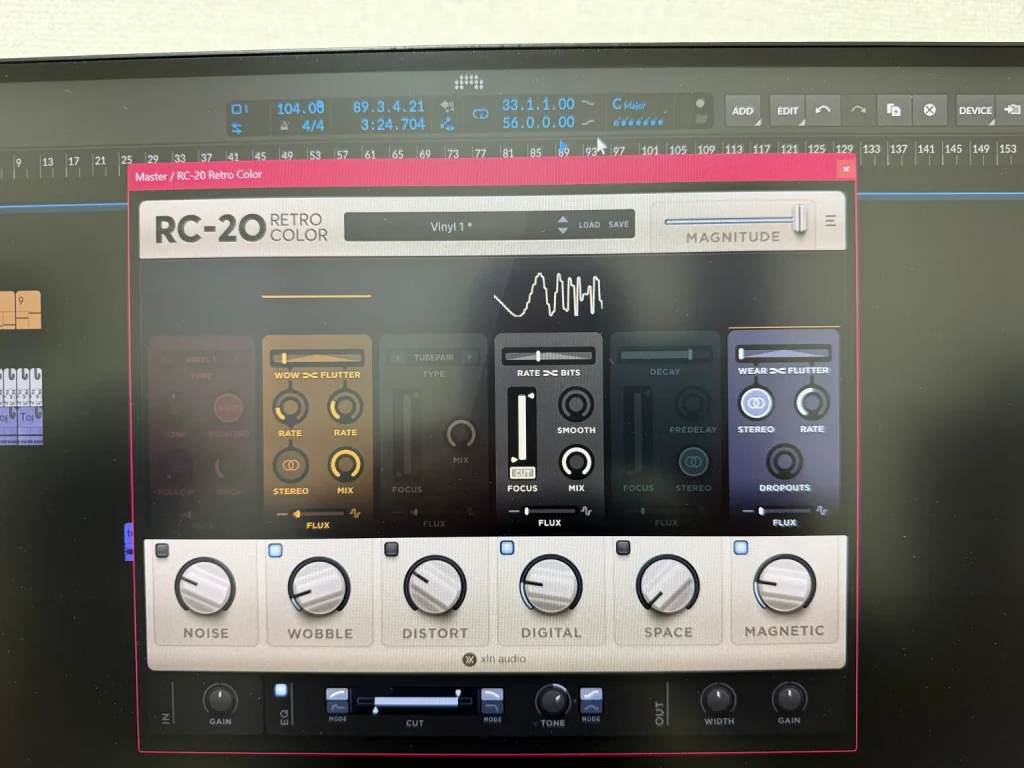
RC-20 Retro Color by XLN Audio is a multi-effects plugin.
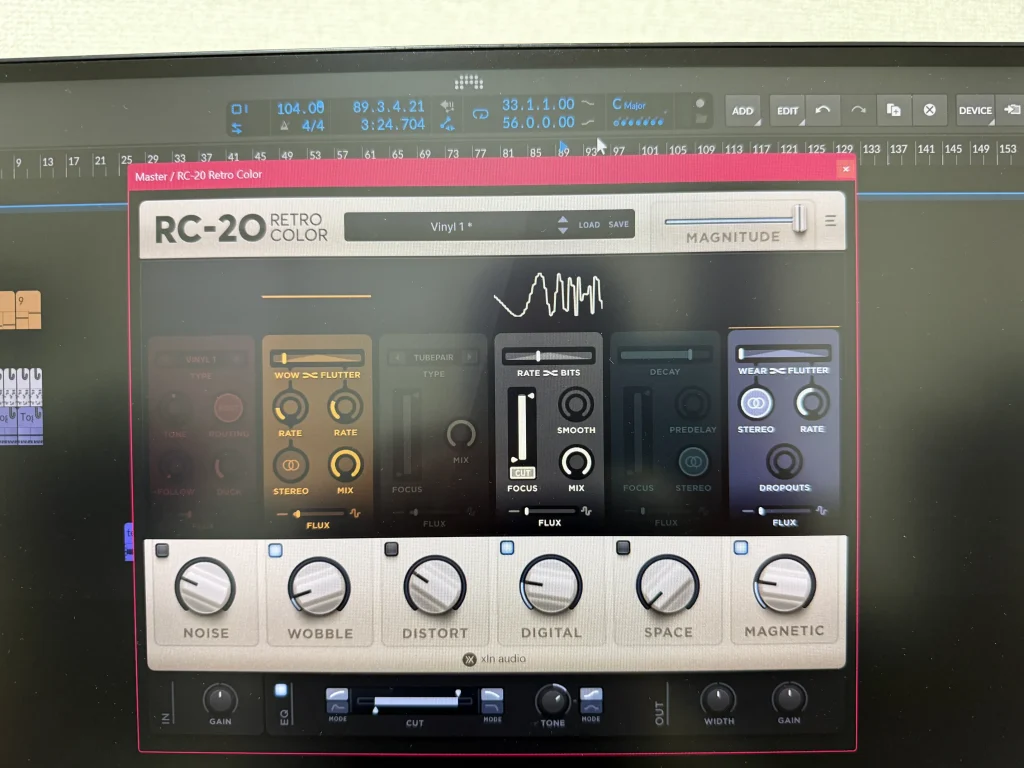
As its name suggests, this plugin adds Retro Color to the sound of the instrument you are playing.
It uses six types of effects to transform your sound.
It seems especially popular with Lo-Fi Chill beat makers.
Beyond lo-fi, it is a versatile plugin: use it for a touch of saturation or to dirty up sounds so separate tracks blend together.
RC-20 Retro Color is one of the most popular lo-fi plugins.
A huge number of plugins that apply lo-fi processing have been released by many manufacturers.
You can substitute other effects instead of buying RC-20, but RC-20 alone includes a complete set of tools for making sounds lo-fi.
It has a rich selection of lo-fi presets.
Although it was released in the early days when lo-fi became notably popular, it remains a popular product and a standard plugin for lo-fi processing.
RC-20 Retro Color Features
- Adds life and texture inspired by classic gear
- Ideal for drums, guitars, keys, bass, and full mixes
- The Flux engine adds warm, analog-style variations
RC-20 Retro Color Review
The great benefit of RC-20 Retro Color is that it gives you a set of effect plugins for creating a lo-fi feel with ease.
It can handle up to six lo-fi effects at once, and it is very easy to use.
The number of presets is modest.
The Magnitude knob, which adjusts the amount of all effects together, is extremely convenient.

The six effect types do not let you make deeply detailed settings individually, but it is excellent that they can recreate a retro feel with only the essentials.
The design philosophy seems to be: if you want to go deeper, prepare individual effect plugins for each task.
All functions are contained on one screen, so it is very convenient not having to move back and forth between tabs.
Using it with a plugin effect that emphasizes a retro feel, such as ujam FINISHER RETRO, makes RC-20 Retro Color stand out even more.
Even though it is a plugin labeled “Lo-Fi,” it gives you the reassurance that no important function is missing.
For lo-fi-style music, using AudioThing Speakers alongside it can also recreate the pleasingly cheap character of speakers.
RC-20 Retro Color Effects
Six effect modules are available.
RC-20 Retro Color Effects / Noise Generator

This module adds staple lo-fi effects such as vinyl noise and tape hiss.
At extreme settings it can become too noisy, but applying it subtly to suggest noise can create a chill mood.
Noise Available in RC-20 Retro Color
It includes a wide range of noises: the “shhh” of tape noise, the “buzz” heard when an old analog television is switched on, and more.
Pink noise is known for its resemblance to heavy rain or a waterfall.
Adding noise can bring real-world elements into a transparent digital space.
- Vinyl 1
- Vinyl 2
- Tape 7.5 ips
- Tape 15 ips
- Tube U47 & Tape
- DC Noise & Hum
- Muff Stomp box
- Static Radio
- VHS Machine
- C90 Cassette Tape
- 8-bit Home Computer
- JP-8 White Noise
- Pink-ish Noise
- Studio Ambience1
- Studio Ambience2
- Apollo Lunar Lander
RC-20 Retro Color Effects / Wobble & Flutter
The Wobble module recreates the wavering pitch of a warped tape.
RC-20 Retro Color Effects / Saturation & Distortion

This is the saturation/distortion module.
It adds distorted harmonics for a rougher character.
Saturation Types Available in RC-20 Retro Color
- TubePair
- IronTransformer
- Crunch
- Heavy
- Zap
- AirPressure
RC-20 Retro Color Effects / Degrader & Bitcrusher
The Degrader/Bitcrusher module recreates the texture produced by reducing the sample rate and bit rate.
RC-20 Retro Color Effects / Reverb
This is the reverb module. It can be switched between mono and stereo.
RC-20 Retro Color Effects / Volume Drops
This module recreates wear that occurs during recording or playback on cassette tapes and tape recorders.
It captures that momentary sound dropout when a tape suddenly jams during playback.
RC-20 Retro Color Preset Sample Video
RC-20 Retro Color Presets
■RC-20 Retro Color Dry
■RC-20 Retro Color / RC-20 800 Crush
■RC-20 Retro Color / Magnitude Transition1
■RC-20 Retro Color / Next Door Studio
■RC-20 Retro Color / Retro Game Mono
■RC-20 Retro Color / Vinyl2
Buy RC-20 Retro Color Here
Since RC-20 appeared, many lo-fi-focused plugins have been released by other manufacturers, but having a complete lo-fi toolset in one plugin is very convenient. Its simple operation is likely part of its appeal.
Plugin with few sales!
When you factor in the time it takes to master it, the time you want it is the right time to buy it.
Plugin Boutique Is Recommended for Buying DTM Plugins
Why Buy from Plugin Boutique?
After purchasing a license, you can view a list of serial numbers in My Account and download plugins that are available for download. (Not all products are downloadable.)
For products downloaded from each plugin maker’s site, download-link buttons are displayed, so there is no need to search each time and installation can be completed quickly.
Once your plugin collection grows, displaying it all can be difficult, but the search display is comfortably fast.
Once you own more than 30 plugins, reinstalling after moving to a new PC can be quite a task. A My Account page that functions as a collection of download links is extremely useful and convenient later on.
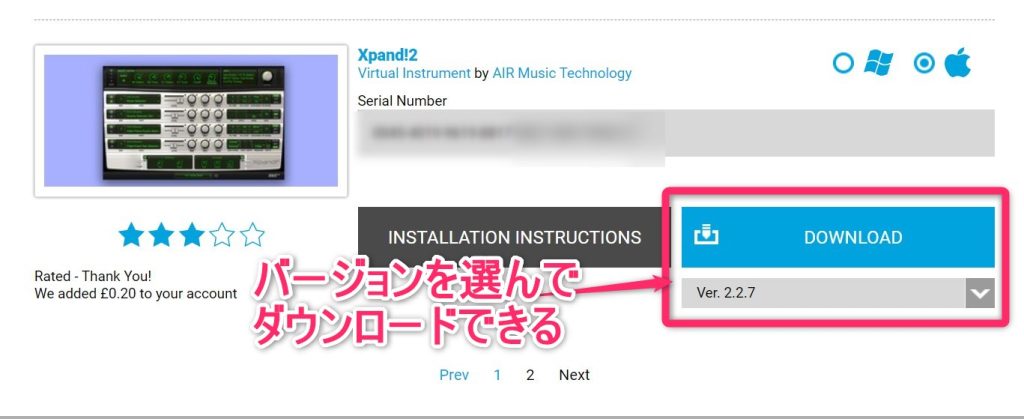
Also, when you buy from the plugin retailer Plugin Boutique,
you receive virtual cash (points for use on the site), as well as a buyer gift bonus.
Click here if you do not know how to buy from Plugin Boutique
You can choose one item with each purchase, provided that the checkout total is ¥1 or more. Buyer gifts are generally refreshed about once a month. In months when two gifts appear, making two separate purchases lets you get both buyer gifts!
September 2026 bonus
If the checkout total is ¥1 or more, you can receive a plugin for free!
◯ StereoSavage 2 Elements
◯ Gorilla Drive
If the checkout total is $29 or more, you can receive a plugin for free!
◯ ChordAXE LiteIf the checkout total is $99 or more, you can receive a plugin for free!
◯ Melodyne 5 Essential
Search for DTM plugins at Plugin Boutique now >>
Because it is an English-language site at first glance, you may be concerned about support; however, Plugin Boutique accepts help requests and inquiries in Japanese as well. I was surprised to receive a reply in Japanese after sending an email inquiry.
Google Pay and Apple Pay can also be used for payment at Plugin Boutique. If you use Apple Pay, use Safari to display the payment button.
Are There Substitute or Alternative Products for RC-20 Retro Color?
Many newer lo-fi plugins have been released since RC-20 Retro Color. Some have similar functions and can serve as alternatives.
Related reading
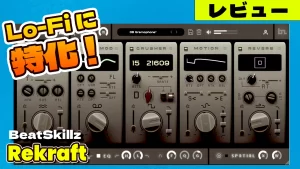
BeatSkillz Rekraft: A multi-effects plugin that layers texture and ambient noiseA modular multi-effects plugin with a collection of effects ideal for creating lo-fi music…
Related reading
Which lo-fi plugins are recommended? The best plugins for making chillout-style musicPlugin makers are creating lo-fi plugins in response to the popularity of genres such as lo-fi hip-hop, Chill Pop/Chill Beat, and Neo Soul…
How to Install RC-20 Retro Color
How to install RC-20 RETRO COLOR
Once you have your serial number, create an account with XLN Audio.
Select Register Product from the menu.
Enter the serial number in the “Enter your Product key” field, then press the “Register Product key” button.


After the successful-registration screen appears, download and launch XLN Online Installer for your operating system.

Select RC-20 Retro Color in XLN Online Installer and install it.


Comments